As your team grows, “payroll” stops being just about paychecks and tax forms. You also have to think about hiring, policies, documentation, and compliance—often without a full‑time HR department. QuickBooks Online Payroll Premium and Elite now bundle HR tools and guidance into the same system you already use to pay your team. Those HR tools are provided through Mineral and include an HR compliance library, templates, a handbook builder, law alerts, and, with Elite, live HR advisors and a training library. Peak Advisers LLC helps you turn those QuickBooks Payroll HR tools into a practical, working system instead of unused features buried in a menu.
What’s included with QuickBooks Payroll HR tools?
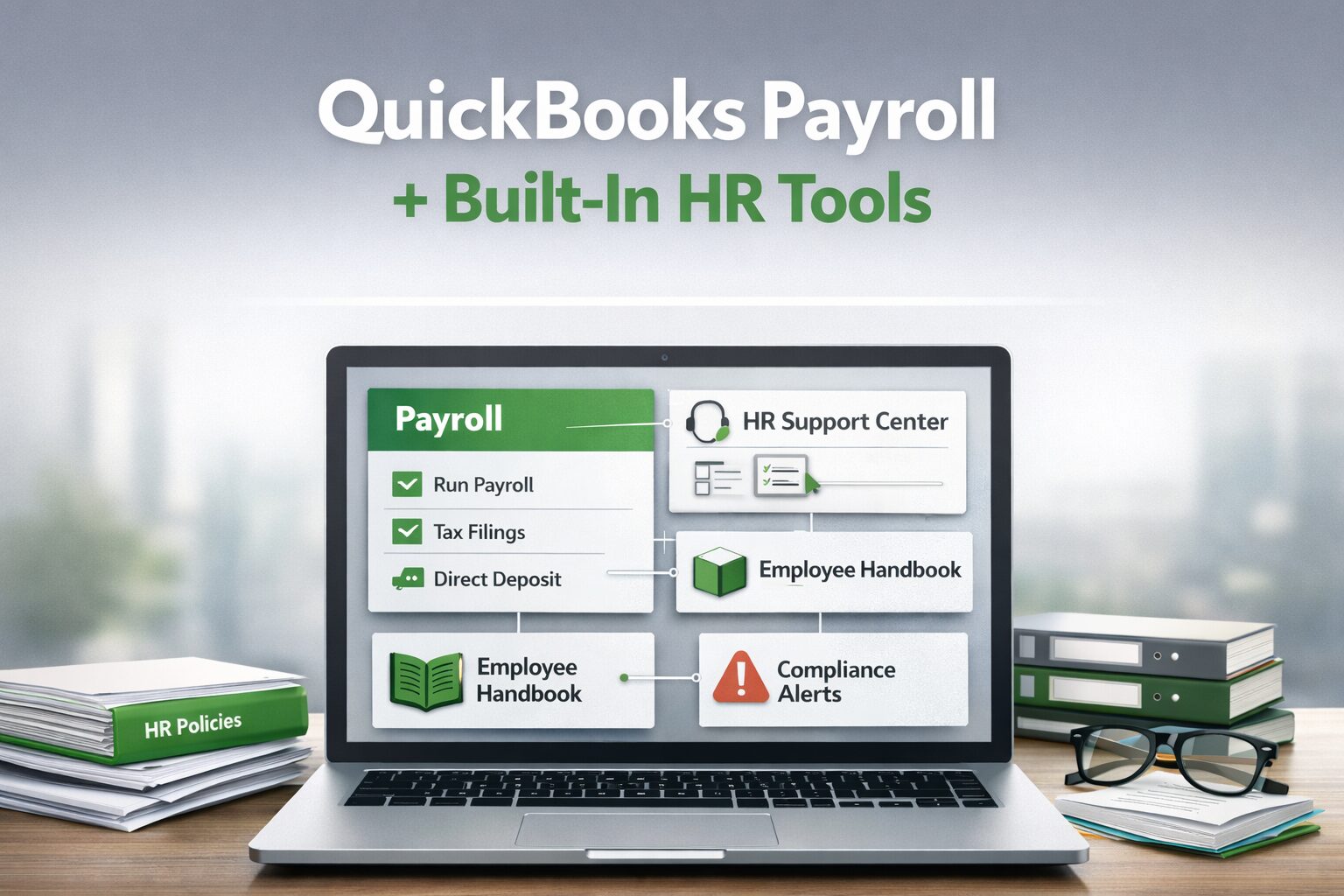
QuickBooks Online Payroll still handles the core work: calculating pay, withholding taxes, and filing most federal, state, and local payroll returns automatically. On top of that, the Premium and Elite tiers add HR tools powered by Mineral that live inside your QuickBooks Online Payroll dashboard. Depending on your plan, you can access:
- HR Support Center with guides on hiring, discipline, terminations, and leave policies
- Templates for job descriptions, offer letters, and common HR forms so you are not starting from scratch
- An employee handbook builder to centralize and update policies in one place
- Compliance alerts that highlight law and regulation changes that may affect your business
- Elite‑level access to live HR advisors for one‑on‑one guidance on tricky situations
For employees, QuickBooks Workforce gives self‑service access to pay stubs, time off, and year‑to‑date info, which cuts down on routine questions to payroll and HR.
HR tools you get with Premium vs Elite
Since March 2024, QuickBooks Online Payroll Premium and Elite have included HR support via Mineral, with different levels of access by plan.
With Premium, you typically get:
- Mineral Platform access from the HR Advisor tab in your payroll dashboard
- HR compliance library with federal and state laws, regulations, and a robust document library
- HR document templates (job descriptions, offer letters, policy samples, and common HR forms)
- Employee handbook builder to create and maintain a core handbook for your team
- Compliance alerts and law updates tailored to where your employees work
- General HR how‑to resources for hiring, onboarding, discipline, and terminations
With Elite, you get everything in Premium, plus:
- Unlimited access to live HR advisors (by phone or online) for one‑on‑one guidance
- Help from advisors to create or tune custom policies and handbooks
- Access to a training/learning library with hundreds of online HR and compliance courses
- Priority setup and higher‑touch support from Intuit’s payroll experts on the payroll side
These tools are built into the Premium and Elite subscriptions, so there is no separate Mineral login or standalone contract required for the included features.
Why many businesses miss these built‑in HR features
Most small and mid‑size businesses sign up for QuickBooks Payroll to automate tax filings and direct deposit. In the rush to get everyone paid correctly, the HR tools are easy to overlook during setup or migration. Over time you may end up paying for Premium or Elite while still managing HR with scattered Word docs, old PDFs, or advice copied from generic search results. The problem isn’t that QuickBooks lacks HR tools—it’s that no one has taken the time to configure them around how your business actually operates.
How Peak Advisers connects payroll and HR in QuickBooks
Peak Advisers LLC specializes in helping small and mid‑size businesses get more out of QuickBooks, including payroll and HR support. When we work with you on QuickBooks Online Payroll, we focus on both accurate pay runs and practical use of the HR features you are already entitled to. We can help you:
- Confirm whether Core, Premium, or Elite is the right fit based on headcount, locations, and risk level
- Review and clean up payroll items, deductions, and tax settings for accurate, compliant processing
- Turn on and organize HR Support Center resources so your most‑used guides and templates are easy to reach
- Build or refresh your employee handbook using the built‑in tools, aligned with your real‑world policies
- Show managers how to use built‑in HR templates for onboarding, write‑ups, and terminations instead of reinventing documents each time
- Integrate QuickBooks Payroll with HR, time‑tracking, and benefits apps from the QuickBooks App Store when you need more advanced capabilities
The goal is to create one connected environment where payroll, HR documentation, and basic compliance support work together instead of living in separate silos.
When upgrading to Premium or Elite makes sense
Not every business needs Elite right away, but there are clear signals that it is time to revisit your plan choice. Consider Premium or Elite if:
- You are hiring more often and want consistent, documented onboarding
- You operate in multiple states or have industry‑specific compliance requirements
- You find yourself frequently Googling HR questions and hoping the answers apply to your situation
- You want access to an HR Support Center and, with Elite, live HR advisors and the full training library, without adding a separate HR system.
Peak Advisers can walk through these questions with you and recommend whether to stay with Core, upgrade to unlock HR tools, or pair QuickBooks Payroll with a more specialized HR system for complex needs.
QuickBooks Payroll & HR tools, implemented with support
Since 2011, Peak Advisers has helped businesses nationwide get more out of QuickBooks through consulting, implementation, and ongoing support. Today that includes making sure you are fully using the QuickBooks Payroll HR tools you are already paying for.
If you are unsure whether your current QuickBooks Online Payroll plan and HR features are set up correctly—or if you suspect there is value you are leaving on the table—Peak Advisers can help. We will review your subscription, configuration, and current processes, then recommend a practical roadmap to simplify payroll, shore up HR, and support the growth of your business.
What HR tools are included with QuickBooks Online Payroll?
The Premium and Elite levels include HR tools powered by Mineral, such as an HR compliance library, HR document templates, an employee handbook builder, and compliance alerts for changing laws. Elite also adds unlimited access to live HR advisors and a larger training library.
How do I access the tools in QuickBooks Online Payroll?
You access the HR tools from the HR or HR Advisor tab inside QuickBooks Online Payroll, where you can launch the Mineral platform and see your HR resources, templates, and alerts.
Do I need a separate subscription for Mineral HR if I already have QuickBooks Online Premium or Elite?
No, the included Mineral HR tools for Premium and Elite are part of your QuickBooks Online Payroll subscription, so there is no separate Mineral contract for those built‑in features.
When should I upgrade from Core to Premium or Elite for HR support?
It makes sense to upgrade when you’re hiring more often, operating in multiple states, need clearer policies and handbooks, or want access to HR advisors and structured HR guidance without adding a separate HR system.
How can Peak Advisers help me use QuickBooks Payroll HR tools?
Peak Advisers helps you pick the right plan, set up payroll, turn on and organize your HR resources, build or update an employee handbook, and integrate QuickBooks Payroll with time‑tracking or HR apps to fit your workflow.