The job took two hours. The customer was relieved. The truck was on the next call before noon.
The invoice went out three days later — built from a text message the tech sent when he had a free minute, missing the expansion tank that got swapped out because nobody wrote it down, and landing in the customer’s inbox at a moment when the urgency of a burst pipe at 7am had long since faded into a vague memory of an unpleasant morning.
The customer questions the total. The owner spends thirty minutes on a call explaining a charge that would have been accepted without comment if the invoice had arrived the same day. Payment comes in ten days after that.
That sequence — completed job, delayed invoice, disputed charge, slow payment — is not a customer behavior problem. It is a billing process problem. And in plumbing, where jobs are fast, parts are pulled on the spot, and customers are emotionally primed to pay at the moment the problem is solved, the timing of the invoice matters more than in almost any other trade.
Key Takeaways
- Invoice lag is the primary driver of cash flow problems in plumbing businesses — not job volume or pricing
- Parts missed at invoicing, end-of-day batch billing, and handwritten job cards that require re-entry into QuickBooks are the most common failure points
- The window for frictionless payment closes quickly after a plumbing job — same-day invoicing captures a customer who is still grateful; late invoicing captures one who is already skeptical
- ServiceM8 connected to QuickBooks Online closes the gap between job completion and invoice delivery — when the integration is configured correctly from the start
- The right setup depends on team size, device environment, and how current jobs and parts are tracked — not every operation needs the same configuration
The Billing Window in Plumbing Is Shorter Than in Any Other Trade
A plumbing customer calls because something is broken, flooding, or backing up. The emotional state at the moment of the call is urgency — sometimes panic. The emotional state at the moment the tech fixes it is relief. That relief is the billing window. It is the moment when the customer is most prepared to accept the invoice, pay without question, and move on.
That window closes fast. By the next morning, the crisis is a memory. By three days later, the invoice feels like it arrived from a different event entirely. The customer who would have paid immediately the day of the job now scrutinizes the line items, questions the parts charges, and takes two weeks to send a check.
Plumbing businesses that invoice same-day collect faster, dispute less, and carry less outstanding receivables than those that batch-invoice at end of day or end of week. The difference is not the quality of the work or the fairness of the price. It is the timing of the ask.
Where Plumbing Invoices Break Down
The billing lag in most plumbing operations is not deliberate. It is the natural result of a workflow that was never designed to invoice at job completion.
Parts pulled from the truck don’t make the ticket. The tech diagnoses the problem, pulls what’s needed from a stocked van, completes the repair, and moves to the next call. What went on the invoice — if it’s being built from memory or a brief text to the office — is an approximation. A wax ring, a shutoff valve, a length of copper: each is a small number. Across a week of calls with two or three technicians, the cumulative miss is not small. There is no reliable way to quantify it because the system that would capture it doesn’t exist.
Batch invoicing normalizes stale billing. When the office builds invoices at end of day from whatever information made it back from the field, every invoice is already hours old before it reaches the customer. When batch invoicing runs weekly, the problem compounds. A job completed Monday morning becomes an invoice delivered Friday afternoon — by which point the customer has mentally closed the chapter and the payment timeline resets from their receipt date, not the job date.
Handwritten job cards require re-entry. Paper job cards left on-site or carried back to the office require someone to transcribe them into QuickBooks. That transcription step introduces error, takes time, and creates a backlog whenever volume spikes or the person doing the transcription is out. It is a manual bridge between field work and financial records that exists only because no automated bridge was ever built.
Emergency calls get invoiced informally. A 10pm call for a backed-up main line gets handled. The tech collects a check at the door or tells the customer the office will send something. That “something” enters a queue that may or may not have enough information to produce an accurate invoice days later. Emergency premium pricing, after-hours charges, and parts used under pressure are the line items most likely to be underrepresented or missing entirely.
The Cash Flow Math Nobody Runs
Most plumbing business owners think about cash flow in terms of job volume. Busy month means good cash. Slow month means tight cash. That framing misses the variable that often matters more: how many days between job complete and payment received.
A plumbing business running $80,000 in monthly revenue with an average 18-day payment cycle carries roughly $48,000 in outstanding receivables at any given time. Tighten the billing process so invoices go out same-day and payment cycles drop to 10 days, and that outstanding balance drops to around $27,000. That $21,000 difference is not new revenue — it is existing revenue that the business has already earned, sitting uncollected because the invoice was late.
No additional jobs. No price increases. No new customers. Just billing on the day the work is done instead of three days later.
The business that feels cash-tight in a busy month is often not underpriced or underbooked. It is underleveraged on the timing of its own invoices.
The Scenario: Two Techs, One Office Person, and a Friday Invoice Run
The scenario below is constructed from patterns we see regularly in plumbing operations — it is not a specific client case study.
A residential plumbing business runs two service techs and an owner who also takes calls. The office manager handles scheduling, customer communication, and invoicing. Current process: techs text job notes at end of day, the office manager builds invoices in QuickBooks the following morning, and any jobs completed Thursday or Friday get invoiced Monday. Parts are captured from memory or from whatever the tech noted — which varies by tech and by how busy the day was.
The problems: average payment cycle is 16 days from invoice date, which is already 1-2 days after the job. Parts miss rate is unknown but suspected. One tech consistently sends complete notes; the other sends whatever he remembers. Emergency calls invoiced Monday morning frequently generate customer questions about charges that were clear at the time of the call but murky three days later. The owner spends time each week on billing disputes that could have been avoided.
After implementing ServiceM8 with a correctly configured QuickBooks Online integration:
- Techs document parts used against the job card on their phones as the work happens — not from memory afterward
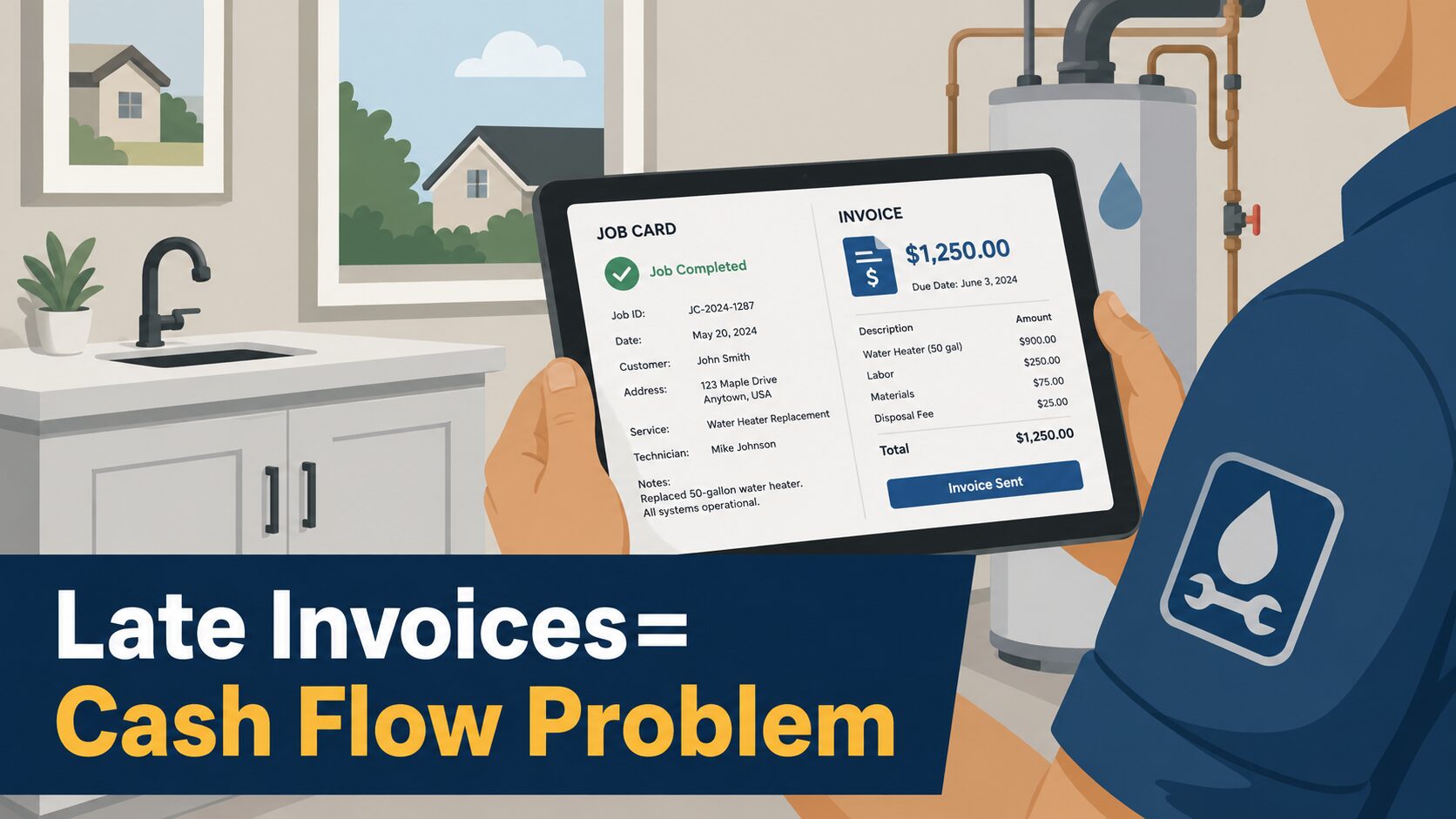
- Invoices are built and sent from the field before the truck leaves the driveway, pushing automatically to QuickBooks
- Emergency calls are documented, invoiced, and paid on-site if the customer chooses — with card payment syncing to QuickBooks the same day
- The office manager’s morning invoice run disappears; her time shifts to scheduling, follow-up calls, and service agreement outreach
- Average payment cycle drops because invoices arrive the same day the customer’s relief is still fresh
The parts that were falling off tickets are now captured at the moment they’re pulled. The billing dispute calls drop. The Friday invoice backlog is gone.
What ServiceM8 Changes in a Plumbing Operation
ServiceM8 handles the full job lifecycle from the field — scheduling, job documentation, on-site invoicing, and payment collection — and connects to QuickBooks Online so the financial record is updated without manual re-entry.
For plumbing businesses specifically, the workflow changes at the points where billing most commonly breaks:
Parts are logged at the job, not reconstructed after. The tech has a parts list on the job card. Items are added as they’re used. When the job closes, the invoice reflects what happened — not what someone remembered an hour later.
Invoices go out at job completion. An approved invoice in ServiceM8 pushes to QuickBooks and reaches the customer before the tech drives away. That is the standard workflow when the system is set up correctly. The billing window — the moment when the customer is still in relief mode — is where the invoice lands.
Emergency call documentation holds up. After-hours calls are documented the same way as standard calls. Parts, labor, after-hours charges, and any applicable emergency premiums are logged on the job card and invoiced on the spot. The information doesn’t degrade overnight waiting for the office to reconstruct it.
Card payment at the door syncs automatically. ServiceM8 accepts card payment in the field. That payment posts to QuickBooks matched to the invoice, with a clean audit trail. For plumbing businesses where cash collection at the door has historically been a reconciliation problem, this closes the loop at the moment of transaction.
The office gets visibility without phone calls. The dispatcher sees job status in real time — who’s on-site, who’s wrapping up, who’s available for the next call. Rescheduling a flooded kitchen call that’s running long doesn’t require tracking down the tech by phone. It happens from the dispatch board.
When This Isn’t the Right Fix
ServiceM8 is built for small to mid-size field service businesses running a high volume of shorter jobs. Plumbing operations that fit that profile and are running on disconnected tools — paper job cards, batch invoicing, text-based field communication — are the right candidates.
If the primary problem is a QuickBooks setup that was never structured correctly, adding a field service layer doesn’t fix it. Duplicate items, inconsistent tax codes, and a chart of accounts that doesn’t reflect how the business actually operates will follow the data into ServiceM8and compound there. The accounting foundation needs to be solid before the field layer is connected to it. Peak Advisers assesses both before recommending which work comes first.
For plumbing businesses where techs are split between iPhone and Android devices, the platform’s iOS-first design is worth a direct conversation before committing to implementation. The full field workflow runs on Apple devices; Android users have more limited access. That is a planning consideration, not a reason to rule it out — but it needs to be on the table early.
And for businesses that have grown to multiple locations or entities where a single QuickBooks file can no longer support the reporting leadership needs, the right conversation is larger than field service software alone. Peak Advisers handles that conversation regularly.
Where Peak Advisers Begins
When a plumbing business owner comes to Peak Advisers because cash is tighter than the job schedule suggests it should be, the first question is about the invoice — not the books.
How long after a job does the invoice go out? What does the tech send back to the office, and what form does it take? How are parts captured, and by whom? How are emergency calls handled differently from standard calls, and does that difference show up correctly in QuickBooks?
Those answers tell us whether the problem is billing timing, parts capture, QuickBooks structure, or some combination. From there, the right configuration — whether that’s a ServiceM8 implementation, a QuickBooks cleanup, or both in sequence — becomes clear.
Peak Advisers is a certified ServiceM8 partner and a certified QuickBooks Solution Provider. When we implement ServiceM8 for a plumbing business, the QuickBooks integration is configured correctly at the start: item lists clean, tax codes mapped for parts versus labor, payment routing set up before the first invoice is exported. The work that creates systematic billing errors when rushed at setup is done deliberately before the system goes live.
We train the full team — techs on the field app, the office on the dispatch board, the bookkeeper on what to expect in QuickBooks after the integration is running. A correctly configured system that nobody uses correctly produces the same billing lag as the paper process it replaced.
Related Resources:
More about ServiceM8
Integrating ServiceM8 with QuickBooks Online
Don’t Lose Revenue Between Dispatch and the Invoice
Schedule A Free Call with Peak Advisers
Frequently Asked Questions
Does ServiceM8 work for plumbing businesses specifically?
Yes. Plumbing is one of the primary trades ServiceM8 is built for. The platform handles the workflows common to plumbing service operations: dispatch, job documentation, on-site quoting and invoicing, parts tracking, recurring maintenance scheduling, asset management for equipment, and electronic forms for inspection or compliance records. It integrates directly with QuickBooks Online for financial record-keeping.
Does same-day invoicing require the tech to do more work?
It requires different work, not more. Instead of texting job notes to the office at end of day, the tech closes the job card on their phone when the work is done — parts logged, photos captured, customer signature collected. That takes roughly the same time as a detailed text message, and it produces a complete invoice rather than raw notes that someone in the office has to interpret and re-enter. The time savings happen in the office, not in the field.
Does same-day invoicing require the tech to do more work?
It requires different work, not more. Instead of texting job notes to the office at end of day, the tech closes the job card on their phone when the work is done — parts logged, photos captured, customer signature collected. That takes roughly the same time as a detailed text message, and it produces a complete invoice rather than raw notes that someone in the office has to interpret and re-enter. The time savings happen in the office, not in the field.
Our parts list in QuickBooks is a mess. Does that need to be fixed before we implement ServiceM8?
Yes — and this is one of the most important sequencing decisions in a ServiceM8 implementation. Items in QuickBooks at the time of integration sync into ServiceM8. If the item list has duplicates, inconsistent naming, or inactive items still attached to categories, those problems come with it. Peak Advisers does a data quality assessment before connecting the two systems so the integration starts clean.
How does ServiceM8 handle after-hours and emergency call pricing?
ServiceM8 supports multiple service types and rate structures, which means after-hours labor rates and emergency call fees can be set up as distinct line items in the system. When a tech opens a job card for an emergency call, the correct rate structure is already available — it doesn’t need to be added manually or remembered under pressure. Setup of those rate structures is part of the implementation configuration Peak Advisers handles at the start.
What happens to the office manager’s role when invoicing moves to the field?
The invoice reconstruction work disappears — the daily or weekly batch process of turning field notes into QuickBooks invoices. That time typically shifts to higher-value work: customer follow-up, service agreement outreach, scheduling optimization, and the administrative tasks that were previously getting deferred because invoicing consumed the available hours. In most operations, the office function doesn’t shrink — it changes.
Does ServiceM8 replace QuickBooks Online?
No. ServiceM8 manages field operations: scheduling, dispatch, job documentation, on-site invoicing, and payment collection. QuickBooks Online handles accounting: the general ledger, payroll, tax records, and financial reporting. The two systems work together — ServiceM8 pushes approved invoices and payments to QuickBooks automatically when the integration is configured correctly. Neither replaces the other.
Billing on Time Is Not a Process Upgrade. It’s a Cash Flow Decision.
The gap between job complete and invoice delivered is a choice — not always a conscious one, but a choice. Every day that invoice sits unsent is a day the business has done the work, taken on the liability, and not yet captured the revenue.
The mechanics are the same across plumbing operations of every size: work gets done faster than the system that records it. Closing that gap doesn’t require more staff or more trucks. It requires a field-to-office connection that captures the job at the moment it happens and moves the invoice while the customer is still thinking about the problem that just got solved.
The question is how much the current lag is costing, and whether now is the right time to close it.
Peak Advisers works with plumbing businesses at exactly this point. If you want an honest assessment of where your billing process is losing time — and whether a ServiceM8 implementation or a QuickBooks cleanup is the right first step — that is the conversation we are built for.