
Professional services firms — consultancies, engineering firms, agencies, law practices, IT firms — have a billing problem that most accounting systems were not built to solve.
It is not that they don’t know how to bill. It is that by the time the billing goes out, the information needed to know whether the engagement was actually profitable has already scattered across a time tracking app, a project management tool, a spreadsheet someone built to fill the gap, and a QuickBooks file that knows what came in but not what it cost to deliver it.
The result is a P&L that looks acceptable and a project portfolio where nobody can say with confidence which clients made money and which ones didn’t — until the project is over and the opportunity to do anything about it has passed.
This post is for firm owners who know which clients feel profitable and which ones feel like they’re working for free — but can’t prove it with numbers.
Key Takeaways
- Professional services billing and project profitability are connected problems — but most firms manage them with disconnected tools
- The moment billing lags behind actual work delivered is the moment the firm starts leaving money on the table
- QuickBooks Online’s job costing and time tracking tools have limits for professional services firms with complex billing structures, multiple service lines, or client engagements that span months
- Intuit Enterprise Suite is purpose-built for project-based businesses, with billing, time tracking, project profitability, and multi-dimensional reporting integrated in a single system
- The firms that know their most profitable clients, service lines, and engagement types make better decisions about pricing, staffing, and growth — the ones that don’t are guessing
Where the Money Goes Without Anyone Noticing
Professional services revenue is almost entirely time and expertise. The product is what the team delivers. Which means that every hour worked but not billed, every cost coded to the wrong engagement, and every invoice that goes out late is margin that disappears without anyone flagging it as a loss.
The billing lag problem is the most common and the most expensive. It works like this: work gets delivered throughout the month, time gets logged — sometimes accurately, sometimes not — and the invoice goes out at the end of the month. Or the end of the project. Or when someone finally has time to pull it together. By that point, the client has moved on mentally, the firm’s leverage to have a billing conversation has diminished, and the time between service delivery and cash receipt has stretched to 45, 60, or 90 days.
One Intuit Enterprise Suite customer — a founder and CFO in a project-based business — described what changed when billing connected to real-time project data: the firm had historically billed at month-end because the invoicing process was too laborious to do more frequently. Once that changed, they moved to weekly invoicing. The result was 21 fewer accounts receivable days and an estimated $100,000 in capital freed from A/R.
That is not a software story. It is a cash flow story. The software made the billing cadence possible. The cash flow impact was real.
The QuickBooks Workaround That Most Firms Are Running
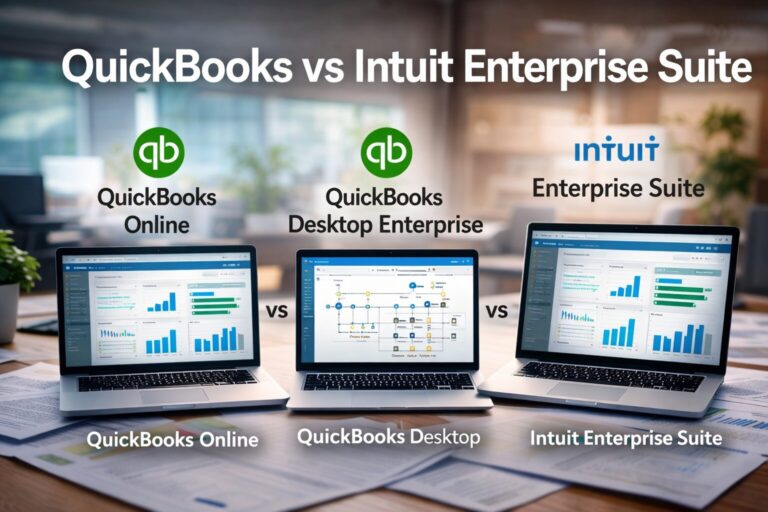
QuickBooks Online is where most professional services firms start. It handles invoicing, expenses, payroll, and reporting well for a single-entity business with straightforward billing. The limits show up when the firm’s work becomes more complex.
The most common pattern looks like this: time gets tracked in a standalone tool — Harvest, Toggl, or a spreadsheet — then exported and manually entered into QuickBooks at billing time. Project costs get allocated after the fact by a bookkeeper who codes expenses to client accounts as best they can. Job costing reports get built in Excel at month-end by pulling from multiple sources. And the question “did we make money on this engagement?” gets answered with a shrug and an approximation.
The cost is not just administrative time. It is the decisions that get made — or don’t get made — because the data is not available when it matters.
A firm that cannot see real-time project profitability cannot make a mid-project correction when an engagement starts running over budget. It cannot identify which service lines are carrying the others. It cannot confidently price a new engagement based on what similar work actually cost the last time. And it cannot have a credible conversation with a client about scope change when the billing is assembled from a spreadsheet rather than from a live project ledger.
What Intuit Enterprise Suite Is Built to Do Differently
Intuit Enterprise Suite was designed for project-based businesses — and professional services is explicitly in that design intent. The platform serves engineering, management consulting, legal, IT, and accounting firms with a dedicated professional services vertical.
The difference from QuickBooks Online is architectural, not cosmetic.
Billing connected to project data. In IES, billing flows from what is actually happening in the project — not from what someone exported and imported at month-end. Milestone billing, progress billing, and time-based billing are all handled inside the same system that tracks the work. When the project moves, the billing picture moves with it.
Project profitability in real time. The platform tracks budgets, actuals, billings, and gross profit at the project level as work progresses — not just when the books close. Firm leadership can see which engagements are trending over budget before the damage is done, not after the invoice has already gone out. IES also uses AI-powered recommendations based on up to five years of the firm’s own project income and cost data to surface deeper profitability insights.
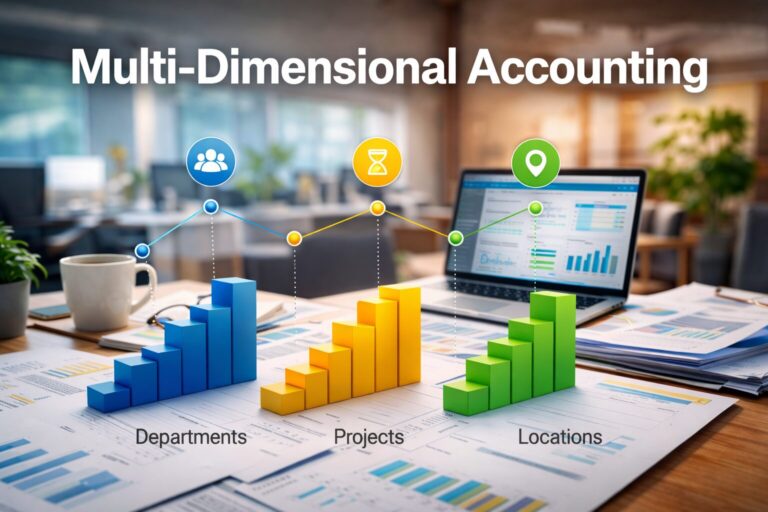
Multi-dimensional reporting across the firm. QuickBooks Online’s Class and Location tracking approximates dimensional reporting but hits its limits quickly for a firm that needs to analyze performance across client, service line, partner, office location, and project phase simultaneously. IES supports up to 20 dimensions in a single ledger — meaning a firm can see what any combination of those factors is producing without rebuilding the analysis every time in a spreadsheet.
Time tracking that flows into billing automatically. IES integrates directly with BigTime, Clio, and Projectworks — purpose-built time tracking and practice management tools for professional services — so time data flows into project costing and billing without manual export and import steps. The firm stops losing billable hours in the transfer.
The right people see the right numbers. Partners, project managers, billing staff, and external accountants all need different access to different data. Without granular access controls, a partner who wants to see their own engagement economics has to ask the bookkeeper to pull a report — which means the data arrives a day late and one step removed. IES handles access with role-based permissions at the user and entity level, so the information is available to the people who need it without exposing the full financial picture to everyone.
An Example: The Engagement That Looked Fine Until It Wasn’t
The following is a hypothetical example to illustrate how this works in practice — not a specific client case study.
A mid-size management consulting firm operates with twelve consultants across four service lines. They run QuickBooks Online for accounting and Harvest for time tracking. At the end of each month, the billing coordinator exports time from Harvest, reviews it against project budgets in a spreadsheet, and builds invoices in QuickBooks.
The process works — most months. But on a large six-month engagement that started strong, a key consultant transitions off the project halfway through and is replaced by two junior staff. The hours go up. The billing rate stays the same. Nobody flags the change in cost structure in real time because the profitability view only exists in a spreadsheet that gets updated at month-end.
By the time the engagement closes and the final invoice goes out, the project came in at roughly 60 percent of the expected margin. The client is happy. The firm has no idea they left significant money on the table until the principal sits down with the month-end numbers three weeks after the project ended.
In IES, that engagement would have a live profitability view from day one. The change in staffing would show up in the cost actuals within days. The principal could see the margin trending down and make a decision — about billing, about scope, about staffing — while there was still time to act on it.
When QuickBooks Online Is Still the Right Answer
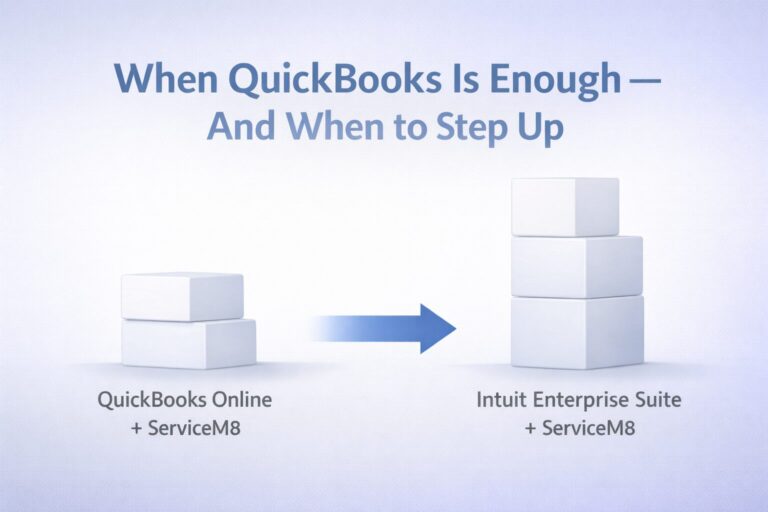
IES is not the right platform for every professional services firm. A solo practitioner or small firm with a single service line, straightforward monthly retainers, and no need for multi-entity management or multi-dimensional reporting is well served by QuickBooks Online — and the additional capability and cost of IES is not justified.
The calculus changes when the firm has multiple partners or project leads who need visibility into their own engagement economics, multiple service lines whose profitability varies meaningfully, billing structures that include milestone payments, progress billing, or retainers alongside time-based work, or a growing organizational structure where controlling access to financial data across roles has become a real concern.
In those situations, the cost of not having real-time project profitability data — in margin lost, in pricing decisions made on incomplete information, in A/R days that compound — typically exceeds the cost of the platform.
If you are not sure which situation your firm is in, that is the right question to bring to Peak Advisers before making the decision.
How Peak Advisers Works With Professional Services Firms
Most of the firms that call us have already tried to solve this inside QuickBooks. They’ve added a time tracking integration, restructured their class setup, or hired someone to pull the project reports together every month. Sometimes that’s enough. Often it isn’t — and by the time they’re calling us, they’ve spent a year finding out which one.
We start by looking at where the billing and cost data actually lives, how it gets from the work to the books, and what the firm’s principals can and cannot see in real time. That picture tells us whether the problem is a setup issue inside QuickBooks Online or something the platform itself cannot solve.
From there, the path is usually one of three things: restructure the existing QBO setup, migrate to Intuit Enterprise Suite, or clean up the data first and then make the platform decision. We’ve done all three for professional services firms, sometimes in sequence.
Peak Advisers has been a certified QuickBooks Solution Provider since 2011. We work with QuickBooks Online and Intuit Enterprise Suite — and we’ll tell you honestly which one fits your firm and why, before you commit to anything.
Related Content:
Learn more about Intuit Enterprise Suite
Learn more about QuickBooks Online
When Your Financial System Is the Reason Growth Has Slowed Down →
Contractors: The Job Is Done. Do You Know If You Made Money? →
Frequently Asked Questions
Is Intuit Enterprise Suite designed for professional services firms?
Yes. Intuit has a dedicated professional services vertical within IES, covering engineering, management consulting, legal, IT, and accounting firms. The platform includes project profitability tracking, milestone and progress billing, role-based permissions, and integrations with professional services tools including BigTime, Clio, and Projectworks. More detail is available at intuit.com/enterprise/professional-services.
Can QuickBooks Online handle professional services billing?
QuickBooks Online handles invoicing, basic job costing, and time tracking integrations well for firms with straightforward billing structures. The limits show up for firms with multiple service lines, complex billing arrangements, multi-partner access requirements, or a need for real-time project profitability rather than month-end reporting. For firms in that situation, IES addresses those gaps at the platform level rather than through workarounds.
What time tracking tools does Intuit Enterprise Suite integrate with?
QuickBooks Time — Intuit’s own time tracking product — integrates natively with IES, with payroll, time, and accounting data connecting directly within the platform. For firms already using QuickBooks Time, that data flows into project costing and billing without any manual transfer. IES also integrates with third-party professional services tools including BigTime, Clio, and Projectworks for firms that need more specialized practice management capabilities alongside their accounting. The right choice depends on how the firm currently tracks time and what level of project management functionality it needs beyond time capture alone.
How many reporting dimensions does Intuit Enterprise Suite support?
IES supports up to 20 dimensions — one class plus 19 custom fields — within a single ledger. For a professional services firm, this means analyzing revenue and profitability simultaneously across combinations of client, service line, partner, office location, and project phase without creating a complex chart of accounts or rebuilding the analysis in a spreadsheet each time.
How long does it take to migrate from QuickBooks Online to Intuit Enterprise Suite?
Intuit reports that 95% of customers are live in less than 30 days. Real-world timelines depend on data quality, the number of entities involved, and the complexity of the firm’s billing and reporting structure. Peak Advisers assesses data quality before committing to a timeline — because a timeline built without seeing the data is not a reliable one.
What does Intuit Enterprise Suite cost for a professional services firm?
Intuit does not publish standard pricing for IES. Pricing is customized based on the number of entities, users, and features required. Peak Advisers can facilitate a pricing conversation as part of an initial assessment. Contact us to start that conversation.
The Profitability Data That Changes How a Firm Grows
Professional services firms that know their most profitable clients, service lines, and engagement types make fundamentally different decisions than firms that don’t. They price new work from a position of knowledge rather than approximation. They invest in the service lines that are carrying the firm and make deliberate decisions about the ones that aren’t. They have billing conversations with clients backed by live data rather than assembled spreadsheets.
The data won’t fix the business by itself. But making decisions without it is a choice that has a cost — and most firms are paying it without realizing it.
If your firm is assembling project profitability after the fact, billing at month-end because the process is too laborious to do more frequently, or making pricing and staffing decisions without real-time visibility into what your engagements actually cost — that is the conversation Peak Advisers is built for.