The ERP sales process is designed to convince you that you have no other option.
By the time a business owner is sitting through a NetSuite or Dynamics 365 demo, the pain is real. The close process takes three days. Consolidated reporting requires a spreadsheet assembly ritual that no one fully trusts. The CFO has declared the current system broken, and the vendor’s ROI calculator has produced a compelling number. The conversation has advanced to implementation timelines and contract terms before anyone has asked whether a traditional ERP is actually what this business needs.
That is not a criticism of ERP systems. NetSuite, Sage Intacct, Acumatica, and Microsoft Dynamics 365 are serious platforms built for serious organizational complexity. The problem is not that they are bad products. The problem is that the businesses most likely to be researching them — growing companies that have outgrown QuickBooks Online or QuickBooks Desktop Enterprise — are often not the businesses those platforms were built for. Committing to an ERP migration before evaluating every option is an expensive way to find that out.
This post is for business owners and financial leaders in active research mode — specifically those who have not yet put Intuit Enterprise Suite in the evaluation before the contract is signed.
Key Takeaways
- Traditional ERP systems — NetSuite, Sage Intacct, Acumatica, Microsoft Dynamics — are built for organizational complexity that most growing businesses in the $3M–$50M range have not yet reached
- ERP migration timelines average 4–6 months for mid-market implementations, with implementation costs that routinely reach $75,000–$200,000 or more — on top of annual licensing
- The problems driving ERP research — multi-entity management, consolidated reporting, intercompany friction — are also the problems Intuit Enterprise Suite is purpose-built to solve
- A Forrester Consulting study commissioned by Intuit projects a 299% return on investment over three years for a composite 10-entity business using IES — with no ERP-level implementation cost or timeline
- The right question is not which ERP to buy — it is whether the problem requires full ERP complexity, or a purpose-built financial platform at this scale
Two Paths to the Same ERP Research Moment
The businesses that end up in ERP evaluations arrive from different starting points — but they tend to reach the same inflection point.
QuickBooks Online users hit the ceiling when the business grows beyond what a single file was designed to handle. Multiple entities running on separate QBO files. Manual intercompany transactions. Month-end close that requires spreadsheet consolidation. Reporting that leadership needs in an hour and takes two days to assemble.
QuickBooks Desktop Enterprise users often stay on the platform longer before the friction becomes critical — it handles higher user counts and more advanced inventory than QuickBooks Online, and many businesses have lived with its limitations because switching felt harder than staying. But QuickBooks Desktop Enterprise is a locally installed system. It was not built for cloud access, remote teams, or the kind of real-time financial visibility that growing businesses increasingly require. And it shares the same fundamental architectural limitation: it is a single-entity system. Multi-entity management, consolidated reporting, and intercompany transactions require the same manual workarounds — they just tend to accumulate longer before someone calls it a system failure.
For both audiences, the moment the current system becomes untenable tends to look the same: slow closes, numbers that don’t add up, leadership that doesn’t fully trust the data. The instinct that follows is also the same — if the current system can’t keep up, get a system that can. ERP is where that instinct usually leads.
What that instinct misses is the gap between what the business actually needs and what a traditional ERP is designed to deliver. That gap is where this evaluation belongs.
What ERP Migration Actually Costs
This is the part of the ERP sales conversation that tends to get compressed.
The licensing cost — the number quoted in the initial demo — is real. What does not always surface clearly is what surrounds it.
For a mid-market implementation — typically 20 to 100 users — ERP implementation costs run $75,000 to $200,000 in professional services, on top of annual licensing. Those figures are drawn from independent analyses of actual project costs across multiple platforms. The average implementation timeline for a mid-market deployment runs 4 to 6 months, with enterprise-level complexity extending well beyond that.
Those months are not idle time. During an ERP implementation, the finance team runs parallel operations — managing the current system while configuring, testing, and validating the new one. That load falls on the people who already don’t have enough capacity, which is usually why the business started researching ERP in the first place.
The implementation partner relationship also deserves clarity before the contract is signed. Most traditional ERP deployments require an external consulting firm — certified in the platform — to handle configuration, data migration, and training. That relationship typically does not end at go-live. Routine changes, reporting customizations, and module additions often require ongoing partner involvement. For businesses without internal IT infrastructure to support a complex system, that dependency is a permanent operating cost that rarely appears in the initial ROI analysis.
None of this is a reason to reject ERP outright. It is a reason to price it fully — licensing, implementation services, internal bandwidth, and ongoing support — before comparing it against alternatives.
The Problems ERP Research Is Usually Trying to Solve
Naming the specific friction points is useful, because each of them has a solution profile — and that profile does not always require a traditional ERP.
Multi-entity management
Running two or three separate company files — whether in QuickBooks Online or QuickBooks Desktop Enterprise — means manual intercompany transactions, separate month-end closes for each entity, and consolidated reporting assembled by hand outside the system. When a third or fourth entity enters the picture, that process does not scale. It compounds.
Consolidated reporting
When leadership needs a picture of overall business performance and the answer is “give me two days,” the reporting infrastructure has failed. That delay has a direct cost in decision speed — particularly in businesses where margin pressure, project performance, or cash position requires current data. Slow reporting is not a staffing problem when the root cause is that the numbers live in separate systems.
Project and job profitability
For construction companies, professional services firms, and any business tracking costs at the project level, knowing which jobs made money is a core operating question. When that answer requires an Excel export and manual reconciliation, the accounting system is not doing the work it should.
Dimensional reporting beyond the current system’s structure
Multi-dimensional analysis — across entities, departments, project types, cost centers — eventually exceeds what QuickBooks Online’s Class and Location structure, or QuickBooks Desktop Enterprise’s reporting tools, were designed for. The workarounds that fill that gap add maintenance burden without solving the underlying architecture problem.
These are real problems that deserve a real solution. The relevant question is whether the solution needs to be a full ERP — or whether a platform purpose-built for exactly this level of complexity exists and should be evaluated first.
What Intuit Enterprise Suite Is Built For
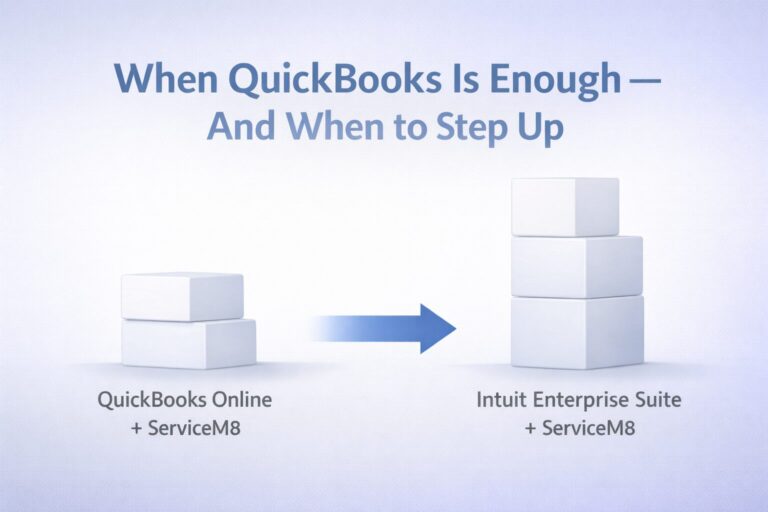
Intuit Enterprise Suite (IES) is not a QuickBooks upgrade. It is a separate platform built by Intuit for businesses that have moved past what QuickBooks Online or QuickBooks Desktop Enterprise can support — but have not yet reached the operational complexity that traditional ERP systems are designed around.
The distinction matters in both directions. IES is not the right tool for a single-entity business with straightforward financials — QuickBooks Online remains the appropriate platform for that profile. And IES is not a replacement for a manufacturing ERP or a global multi-subsidiary deployment where NetSuite or Dynamics genuinely fits. IES is built for the gap between those two points: multi-entity businesses where the problems are financial architecture problems, not supply chain or global operations problems.
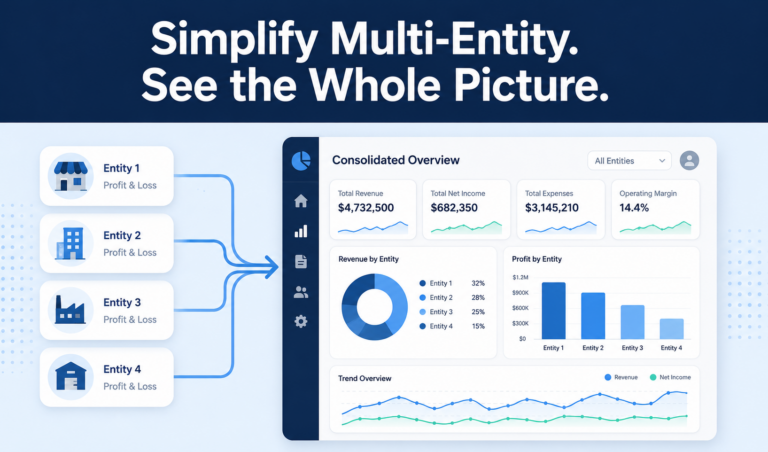
On the architecture side, IES handles multi-entity management natively — multiple legal entities, subsidiaries, locations, and divisions within a single system, with a unified chart of accounts, automated intercompany transactions, and consolidated reporting that updates in real time. The monthly close that currently requires spreadsheet assembly runs inside the platform.
On the reporting side, IES handles multi-dimensional analysis at a level that QuickBooks Online’s Class and Location structure cannot match. Businesses can track performance across combinations of dimensions — entity, department, project type, cost center — within a single ledger.
For businesses moving from QuickBooks Desktop Enterprise specifically, IES also delivers the cloud-native transition that desktop users have been deferring. Cloud access across web, iOS, and Android devices. Real-time data available to field and office without VPN dependencies or file-sharing workarounds. That transition has operational value that goes beyond resolving the multi-entity problem — it is the cloud infrastructure decision and the financial architecture decision happening simultaneously, rather than in sequence.
On implementation timeline, Intuit reports that IES users have completed implementation in less than two months on average, based on actual deployment data since the platform launched in October 2024. That compares to six months for NetSuite, four months for Sage Intacct, and six months for Microsoft Dynamics 365 Business Central, per G2 deployment data sourced on Intuit’s own comparison page.
What independent research shows
Intuit commissioned Forrester Consulting to conduct an independent study quantifying the financial impact of Intuit Enterprise Suite. The study modeled a composite 10-entity business with $12M in revenue and a three-person finance team. Key projected findings at the mid-case scenario over three years:
- 299% projected return on investment
- $446,824 projected net present value savings
- 75–95% projected time savings in data entry
Source: New Technology: The Projected Total Economic Impact of Intuit Enterprise Suite, Forrester Consulting, commissioned by Intuit, February 2025. Figures represent the mid-case scenario based on a composite customer. Results are projections, not guarantees. Read the full study →
An Example: The ERP Commitment That Came Too Early
The following is a hypothetical example to illustrate how this decision point typically plays out — not a specific client case study.
A regional professional services firm operates three business entities — the primary operating company, a real estate holding entity that owns the building, and a recently acquired subsidiary. The firm runs QuickBooks Desktop Enterprise for the operating company and separate QuickBooks Online files for the other two entities. Month-end close requires the controller to reconcile intercompany transactions manually across all three, export financials from each, and consolidate in Excel. The process takes most of the week. It has produced two material errors in the past year that required correction before the owner presented to the board.
The controller has recommended moving to NetSuite. The owner has sat through two demos, received an ROI projection showing payback in 14 months, and is reviewing an implementation proposal from a certified partner. The proposal is $140,000 for implementation services, with an estimated timeline of five months.
Before signing, the CPA raises one question: has Intuit Enterprise Suite been evaluated?
The firm’s problem is a financial architecture problem — multi-entity consolidation, automated intercompany, real-time consolidated reporting. It is not a supply chain problem, a manufacturing problem, or a global operations problem. IES addresses that profile directly.
In IES, all three entities exist within a single system. Intercompany transactions are recorded once, with offsetting entries handled automatically. Consolidated reporting is available in real time. The controller also gets the cloud-native access that the legacy desktop environment never provided — without the cost of a separate cloud migration project.
The month-end close that currently consumes a week takes a fraction of that time. The implementation is measured in weeks, not months. And the Forrester-projected ROI over three years — modeled on a composite business with a similar entity structure — suggests the investment pays back without the ERP price tag.
The firm’s problem is real. The solution may be significantly less expensive and disruptive than the contract currently on the table.
Where Traditional ERP Actually Fits
IES is not the right answer for every business considering ERP, and saying so directly is part of an honest evaluation.
Genuine manufacturing complexity. If the business has bills of materials, shop floor operations, production scheduling, or demand planning requirements, a purpose-built manufacturing ERP addresses those needs at a level IES does not. IES is not a manufacturing platform.
Global multi-subsidiary operations. Businesses operating across multiple countries with multi-currency consolidation and international compliance requirements are built for platforms like NetSuite’s OneWorld module. That complexity is real and the platform fits it.
Advanced inventory at scale. Intuit Enterprise Suite now offers solid, integrated inventory tracking — including item receipts and improved receive-to-pay workflows added in early 2026 — that works well for service and project-based businesses that also sell some items. What it does not yet provide is the advanced inventory functionality that product-centric companies typically require: multi-warehouse locations with bin tracking, serial and lot tracking, full bill-of-materials and assemblies, or barcode-driven pick-and-pack fulfillment. For businesses where complex inventory is a core operational requirement rather than a peripheral one, QuickBooks Desktop Enterprise or a traditional ERP is usually a better fit. Intuit is actively investing in IES inventory capabilities, so confirm current scope with Intuit or a certified partner before making a long-term platform decision based on any specific feature.
Enterprise compliance and governance. Organizations approaching the audit and regulatory infrastructure of a larger enterprise — complex revenue recognition, international certifications, multi-entity compliance across jurisdictions — may find that traditional ERP platforms provide more extensive governance tooling.
What these situations share is genuine operational complexity — not just financial reporting complexity. If the primary problems are multi-entity management, consolidated reporting, and intercompany transactions, that is a financial architecture problem. IES addresses those problems directly. Traditional ERP addresses them as part of a much larger, more expensive package.
The framing that produces an honest answer: if the complexity is financial, evaluate IES before committing to ERP. If the complexity is operational, evaluate whether IES addresses the financial layer and a separate tool addresses the operational layer. Peak Advisers works with businesses in both situations.
How Peak Advisers Approaches This Decision
When a business comes to Peak Advisers in the middle of an ERP evaluation, the first conversation is not about which software to choose.
It starts where every assessment starts: what is actually breaking? What does the monthly close look like? Where does data get assembled manually? What does leadership need to see, and how long does it take to produce that? How many entities are in play, and what does the intercompany relationship look like? Is this a QuickBooks Online environment, a QuickBooks Desktop Enterprise environment, or a combination of both?
From that picture, the right next step becomes clear. For some businesses, that is IES. For others, a QuickBooks Online cleanup and restructuring resolves what looked like a platform problem but was actually a setup problem. And for some businesses, a traditional ERP is the right call — and Peak Advisers will say so.
Peak Advisers has been a certified QuickBooks Solution Provider since 2011. We work with the full range of Intuit products — including Intuit Enterprise Suite — because our job is to match the right platform to the right business, not to recommend the same solution to every client. If you are in the middle of an ERP evaluation and want an honest second perspective before committing, that conversation is worth having before the contract is signed.
Related Content:
- Learn More about Intuit Enterprise Suite
- Outgrown QuickBooks? 7 warning signs it’s time to upgrade to Intuit Enterprise Suite
- What AI Agents in Intuit Enterprise Suite Actually Do for Your Business
Frequently Asked Questions
Is Intuit Enterprise Suite a real ERP, or just a QuickBooks upgrade?
IES is neither a QuickBooks upgrade nor a traditional ERP in the conventional sense. It is a separate platform built by Intuit for businesses that have moved past what QuickBooks can support but do not need the operational complexity of a full-scale ERP system. It handles multi-entity management, multi-dimensional reporting, and automated intercompany natively — which are the financial architecture problems most growing businesses are actually trying to solve. Whether it qualifies as an “ERP” depends more on definition than on function. What matters operationally is whether it addresses the specific problems the business has.
We’re on QuickBooks Desktop Enterprise, not QuickBooks Online. Does IES still apply?
Yes — and in some ways, the case for evaluating IES is stronger for QuickBooks Desktop Enterprise users. Desktop Enterprise users face the same multi-entity and consolidated reporting limitations as QuickBooks Online users, but they typically also carry the additional friction of a locally installed system: limited remote access, file-sharing dependencies, and performance degradation as data accumulates over time. Moving to IES resolves the financial architecture problem and delivers cloud-native infrastructure simultaneously — without requiring two separate transition projects. If your business has been on QuickBooks Desktop Enterprise for several years and is now considering ERP, IES is worth a serious look before committing to a traditional ERP implementation.
How does the IES implementation timeline compare to traditional ERP?
Intuit reports that IES users have completed implementation in less than two months on average, based on actual deployment data since the platform launched in October 2024. By comparison, G2 implementation data — sourced on Intuit’s own comparison page — shows average timelines of six months for NetSuite, four months for Sage Intacct, and six months for Microsoft Dynamics 365 Business Central. For a finance team that is already stretched, the difference between a two-month and a six-month implementation is not a minor consideration. It is the difference between maintaining one operational system during the transition and running two.
What does Intuit Enterprise Suite cost compared to a traditional ERP?
Intuit does not publish standard pricing for IES — pricing is customized based on the number of entities, users, and capabilities required. Traditional ERP systems follow a similar custom-quote model, though independent analyses place mid-market implementations at $75,000–$200,000 in professional services alone, on top of annual licensing. IES is positioned significantly below traditional ERP in total cost of ownership, particularly when accounting for implementation services and the ongoing consultant dependency that characterizes most traditional ERP deployments. A Forrester study commissioned by Intuit projects a 299% ROI over three years for a composite 10-entity business using IES — against an investment that does not carry ERP-level implementation cost. Peak Advisers can facilitate a pricing conversation for IES as part of an initial assessment.
Does moving to IES mean leaving the Intuit ecosystem?
No. IES is built by Intuit on the same platform infrastructure as QuickBooks Online. Businesses already using QuickBooks Payroll, QuickBooks Payments, or QuickBooks Bill Pay maintain continuity with those products within IES. For QuickBooks Desktop Enterprise users, the move to IES is a transition to the cloud-native Intuit platform — which means staff familiar with QuickBooks conventions will find the interface recognizable, even though IES is a meaningfully more capable system.
What kinds of businesses is Intuit Enterprise Suite not right for?
IES is not a manufacturing ERP, a supply chain platform, or a system built for global multi-subsidiary operations with complex multi-currency requirements. Businesses with significant manufacturing complexity, advanced warehouse management needs, or the compliance infrastructure of a larger enterprise may find that a traditional ERP addresses their operational profile more completely. IES is also not the right choice for a single-entity business with straightforward financials — QuickBooks Online remains the appropriate platform there. The right IES profile is a multi-entity business in roughly the $3M–$50M revenue range with financial reporting complexity that QuickBooks cannot handle, but without the operational complexity that traditional ERP is designed around.
The Decision Worth Making Before the Contract
ERP migrations are not easily reversed. Once the implementation is underway — contracts signed, implementation partner engaged, data migration begun — the cost of stopping or changing course is significant. The time to evaluate all available options is before that commitment is made.
If the problems driving the ERP research are financial architecture problems — multi-entity management, consolidated reporting, intercompany transaction volume, dimensional analysis — Intuit Enterprise Suite deserves to be in the evaluation. It addresses those problems directly, at a fraction of the implementation cost and timeline of a traditional ERP, and the Forrester-projected returns over three years are meaningful for any business doing an honest total-cost comparison.
If the problems are genuinely operational — manufacturing, supply chain, global consolidation — that is a different conversation, and Peak Advisers will say so directly.
The conversation worth having is the one that produces an honest answer about what the business actually needs — before the vendor with the most compelling demo has already shaped the decision.
Schedule a call with Peak Advisers →
Read: When Your Financial System Is the Reason Growth Has Slowed Down →