The bank feed connects, the transactions load, and the books look current. That’s the problem. “Loaded” and “correct” are not the same condition, and QuickBooks Online’s bank feed — especially the newer AI-powered version now running by default for most accounts — has gotten fast enough that the gap between the two is easy to miss.
Bank feeds are a strong tool. They cut hours of manual data entry, and QuickBooks has continued to invest in making them faster and smarter. But a fast import is not a reviewed import. Every business running QuickBooks Online relies on this feed in some form, and most owners assume that because the transaction shows up, it landed in the right place. It often didn’t.
Key Takeaways
- The bank feed’s job is to import and suggest — not to make final accounting decisions. That step still needs a person.
- Bank rules, auto-matching, and AI categorization all rely on pattern recognition, and patterns break on exceptions.
- The most expensive bank feed errors are the quiet ones: miscategorized expenses, duplicate entries, and transactions matched to the wrong record.
- These errors compound silently and are usually discovered at the worst possible moment — during reconciliation, tax prep, or a leadership meeting where the numbers don’t hold up.
- None of this means the bank feed is the wrong tool. It means the feed needs a review process behind it, not blind trust in front of it.
What the Bank Feed Is Actually Built to Do
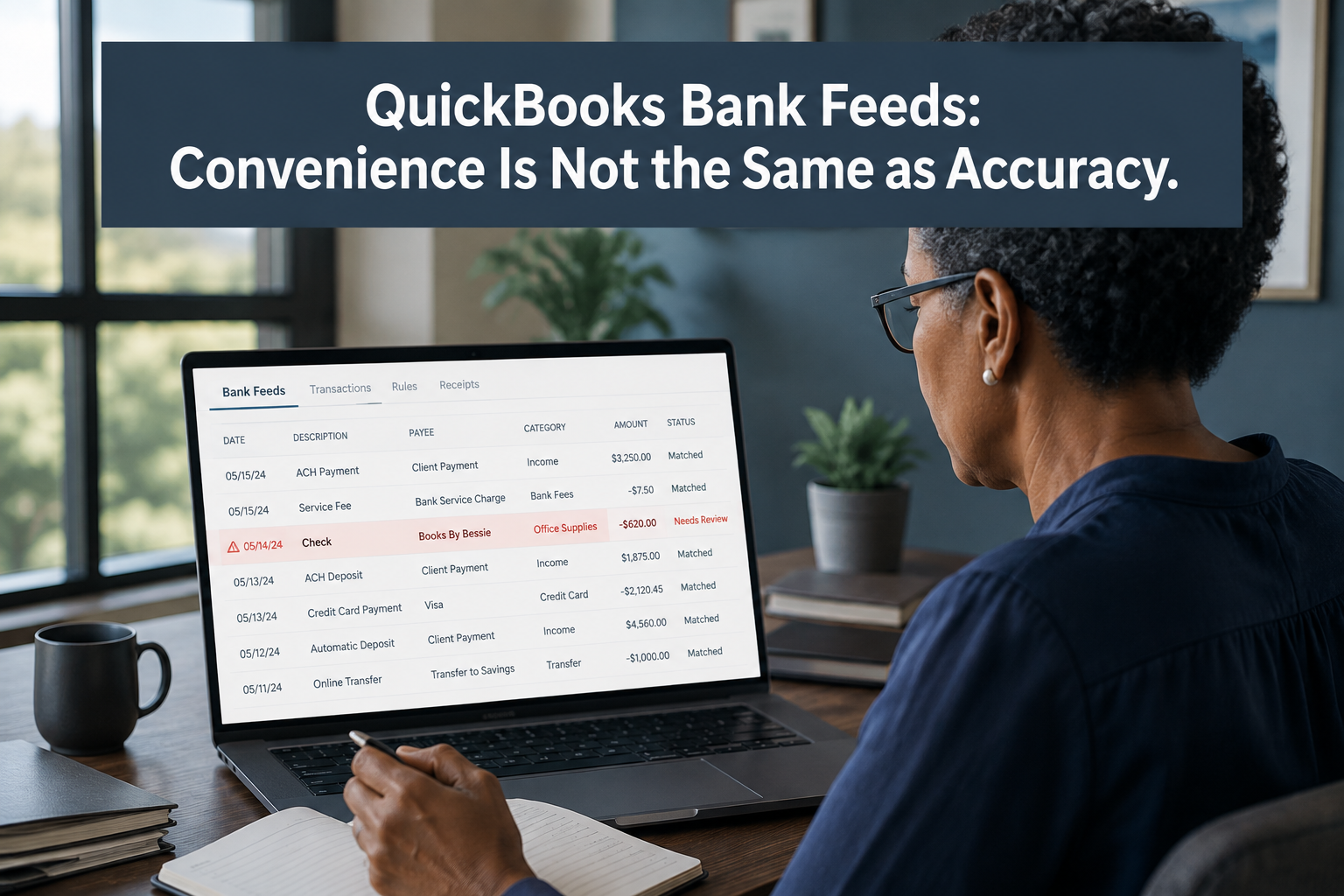
QuickBooks Online’s bank feed pulls transactions from connected bank and credit card accounts and presents them for review inside the Banking Center. As of May 2026, most accounts have moved to the newer AI-powered version of this feed, which loads and posts transactions faster and runs in the background while a user works elsewhere in the file.
Inside that feed, every transaction lands in one of two states: matched against an existing entry already in QuickBooks, or unmatched and waiting for a decision. Bank rules — QuickBooks allows up to 2,000 of them, each with up to five conditions — can auto-assign a category, vendor, class, or location based on the transaction’s description, amount, or bank text. The more consistently a business uses rules, the more of this categorization QuickBooks can handle without a person touching every line.
That’s the design, and it works well for what it’s built to do. The trouble starts with what it isn’t built to do: recognize when a rule built for one recurring vendor accidentally catches something it shouldn’t, or notice that a transaction already entered by hand is about to be recorded a second time.
Where the Errors Actually Hide
None of the following throws an error message. That’s exactly why they go unnoticed for months.
Overbroad bank rules. A rule built to catch “Google” and assign it to Advertising will also catch a Google Workspace subscription charge, a Google Ads charge, and a one-off Google Play purchase — all under the same category, unless the rule’s conditions are specific enough to separate them. The wider the condition, the more it silently absorbs transactions it was never meant to touch.
Duplicate entries from mixed entry methods. When a transaction is entered manually — a bill paid by check, an invoice recorded before the deposit clears — and then the same transaction later appears in the bank feed, QuickBooks may not always recognize them as the same event. If the feed transaction gets added instead of matched, the business now has two entries for one real transaction, and the books overstate both expenses and cash movement.
“Matched” transactions that shouldn’t have matched. Two similar amounts on the same day, one real and one coincidental, can get matched to the wrong existing entry. The transaction disappears from the review queue as handled — it just wasn’t handled correctly.
A growing unreviewed backlog. Faster imports mean transactions arrive faster than some businesses have staff to review them. When the queue backs up, the instinct is often to bulk-accept whatever the feed or AI has already categorized, on the assumption that most of it is probably right. Most of it usually is. The exceptions are what cost money.
What This Costs When Nobody Catches It
A miscategorized expense doesn’t announce itself. It sits quietly in the wrong account until someone needs that account to mean something — building a budget, comparing job costs, preparing a tax return, or explaining a variance to a lender.
For project-based businesses, a bank feed error that lands in the wrong class or location doesn’t just distort the P&L — it distorts job costing, which is often the number leadership relies on most to know whether specific work is profitable. A duplicate entry inflates expenses and can throw off a cash position that looks tighter than it is, prompting decisions based on numbers that were never accurate in the first place.
The most damaging cost isn’t the individual error. It’s what happens after an owner or CPA finds one. Once someone has caught a meaningful mistake in reports they believed were current, they stop trusting the reports that follow — and that erosion of confidence slows down every financial decision downstream, long after the original error is fixed.
One Rule, One Exception, One Quarter of Bad Data
The following is an example to illustrate how this works in practice — not a specific client case study.
A landscaping company built a bank rule early on to catch recurring fuel purchases at a regional gas station chain and assign them to Vehicle Expense. The rule worked well for over a year. Then the owner’s spouse, unrelated to the business, started using a shared card at the same gas station chain for personal purchases — coffee, snacks, the occasional gas fill-up on a family trip.
The rule didn’t know the difference. Every one of those personal transactions matched the description condition and landed in Vehicle Expense, right alongside legitimate fleet fuel costs. Nothing looked wrong in the Banking Center — every transaction was categorized, matched, and out of the review queue. It took a full quarter, and a vehicle expense number that looked unusually high against revenue, before the bookkeeper traced it back to the rule.
The fix was simple once found: a tighter rule condition and a manual reclass of the affected transactions. The cost was three months of inaccurate job costing and a leadership conversation about fleet expenses that turned out to be based on the wrong number entirely.
Using Bank Rules Without Losing Control of Them
Bank rules and AI categorization are worth using — the alternative, reviewing every transaction by hand indefinitely, doesn’t scale as a business grows. The tradeoff is that automation needs to be built narrow and reviewed on a schedule, not built once and left alone.
A few practices make the difference between a bank feed that saves time and one that quietly accumulates errors:
- Build rule conditions as specific as the data allows — combine description, amount range, and account rather than relying on a single broad keyword
- Review the unmatched and newly-matched queues on a set cadence, not only when something looks obviously wrong
- Audit existing bank rules periodically, since a rule that was accurate at setup can start catching unrelated transactions as spending patterns change
- Treat reconciliation as the real accuracy check — a bank feed that looks clean but doesn’t reconcile cleanly has an error hiding somewhere in the categorization, not the bank connection
When the Problem Isn’t the Feed at All
Not every case of inaccurate books traces back to bank feed errors. Sometimes the chart of accounts itself is poorly structured, and no amount of correct categorization into a bad account structure will produce useful reports. Sometimes the business has outgrown what Class and Location tracking can reasonably support, and the real fix is a broader conversation about financial structure rather than a bank feed cleanup.
If bank feed review has been consistent and the numbers still don’t add up the way leadership expects, that’s worth a conversation with Peak Advisers about what’s actually driving the gap — the answer might be bank feed hygiene, or it might be something upstream of it.
Where Bank Feed Accuracy Fits Into a Bigger Picture
Bank feed errors rarely stay contained to the Banking Center. They flow directly into every report built on top of them — job costing, class and location reporting, and eventually the kind of consolidated view a growing business needs from its financial system. A business already feeling friction with QuickBooks Online’s reporting limits, or considering whether it has outgrown a single QBO file, should get the bank feed data clean first — a broader system decision built on inaccurate underlying data just moves the problem to a bigger platform.
Additional Resources
When Your Business Outgrows QuickBooks Online
QuickBooks Online Features You’re Not Using, But Should Be Using
How Peak Advisers Reviews a Bank Feed
When Peak Advisers looks at a QuickBooks file for the first time, the bank feed is one of the first places we check — not because it’s usually broken, but because it’s usually where nobody has looked closely in a while. We trace bank rules against actual transaction history to find the ones that have drifted from their original purpose, review the unmatched and duplicate-risk transactions across recent months, and check whether reconciliation is actually clean or just appears clean because errors are offsetting each other.
That review is part of how we approach a QuickBooks cleanup engagement — not a one-time fix, but a look at whether the workflow around the bank feed will hold up as transaction volume grows.
Related Content
Peak Advisers Can Clean Up Your QuickBooks
Why Profitable Businesses Run out of Cash
Frequently Asked Questions
How do I know if my QuickBooks bank feed has errors I haven’t caught?
Start with reconciliation. If an account reconciles cleanly every month with no unexplained adjustments, that’s a strong signal the feed is being managed well. If reconciliation regularly requires manual adjustments or unexplained entries to force a match, that’s usually where feed errors are hiding.
Should I turn off automatic bank rules to avoid miscategorization risk?
Not generally. Rules save meaningful time on high-volume, predictable transactions. The better fix is tightening rule conditions and reviewing them periodically, not eliminating automation and reverting to fully manual entry.
What’s the difference between excluding and deleting a duplicate transaction in the bank feed?
Excluding a transaction removes it from the register without deleting the original bank feed record, which keeps a clean audit trail back to the bank connection. Deleting removes it from QuickBooks entirely. For duplicates, excluding the incorrect copy is usually the safer choice, since it preserves the ability to review what happened later.
Does the newer AI-powered bank feed make categorization more accurate than before?
It’s faster, and background posting means less time spent waiting on the interface to catch up. Speed and accuracy are separate questions — the AI-driven suggestions still rely on patterns in the data, so the review habits that catch exceptions matter just as much as they did with the previous version.
The Real Question Isn’t Whether to Use Bank Feeds
It’s whether anyone is checking what they’re doing. QuickBooks Online’s bank feed, especially the newer AI-powered version, is a genuinely useful part of a modern bookkeeping workflow — when it’s paired with a review habit that catches the exceptions automation can’t see on its own.
If your reconciliation has stopped being clean, if job costing numbers feel unreliable, or if nobody on your team has looked closely at your bank rules in the past year, that’s worth a conversation before it shows up in a report your leadership team is making a decision from.