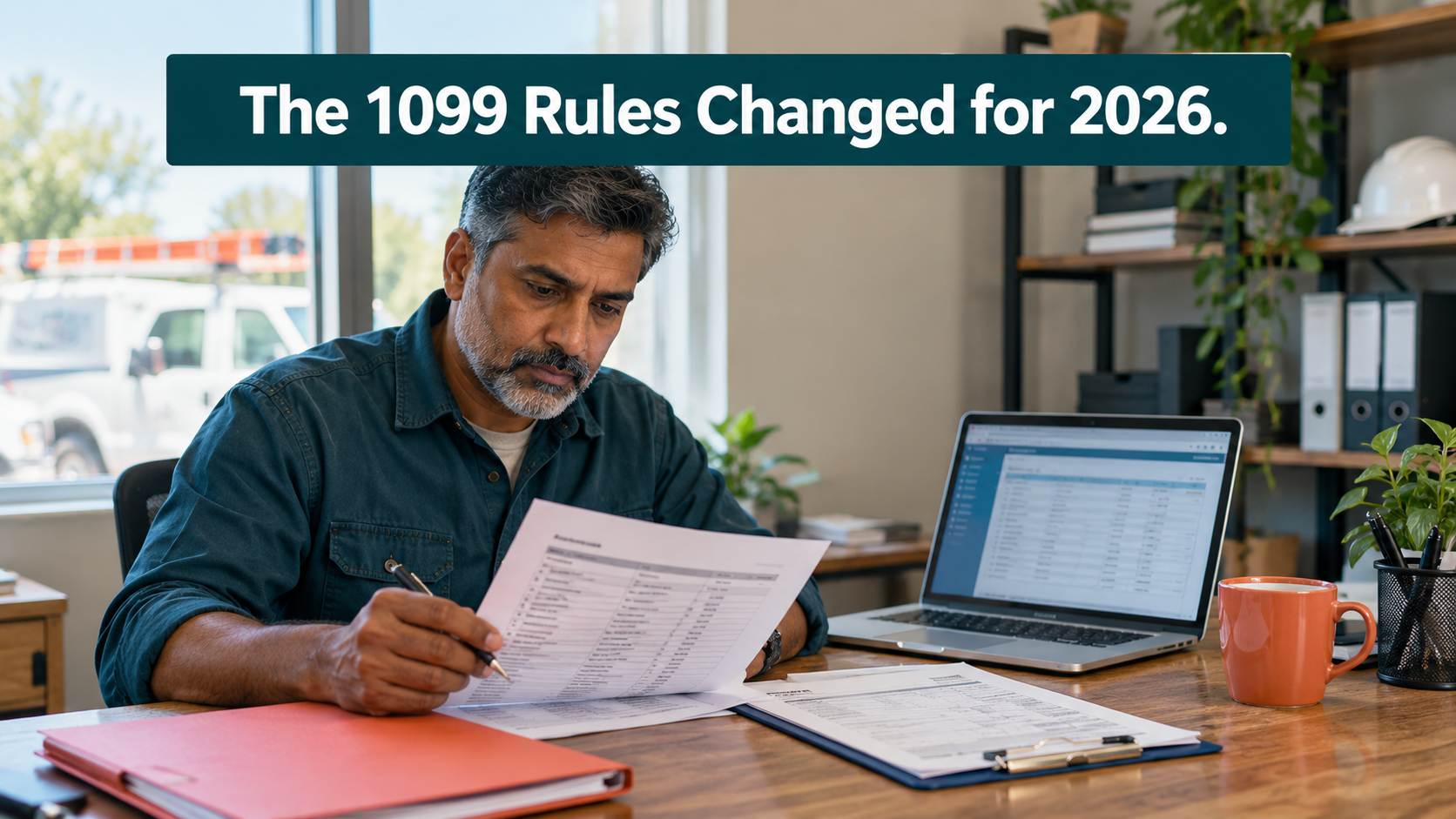
The 1099 rules changed for payments made in 2026. You now send a contractor a 1099-NEC only if you paid them $2,000 or more during the year, up from the $600 cutoff most businesses have worked with for years. The forms you file in early 2027 are the first ones under the new number. The change came from the 2025 tax law that the IRS now calls the Working Families Tax Cuts, widely reported as the One Big Beautiful Bill Act.
Fewer forms sounds like less work. But most QuickBooks files were set up when $600 was the line, and the review screen you see in January can only report what your vendor settings, account names, and payment records tell it. Check them before year-end, while you can still collect a missing W-9 or fix a miscoded payment.
Key Takeaways
- Under the new 1099 rules, you send a 1099-NEC only to contractors you paid $2,000 or more in 2026. Most 1099-MISC payments, such as rent, moved to $2,000 too.
- A few amounts didn’t change. Payments to an attorney for a settlement still report at $600, and royalties still report at $10.
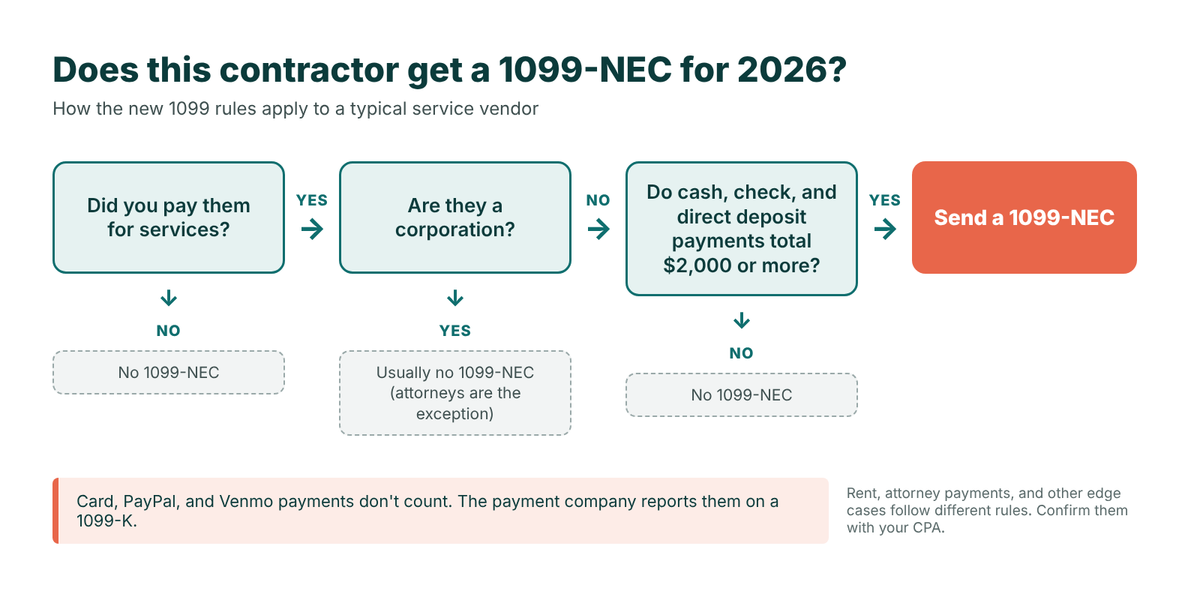
- Payments you make by credit card, debit card, PayPal, or Venmo don’t go on your 1099-NEC. The payment company reports those.
- 1099s for 2026 payments are due to contractors and to the IRS by February 1, 2027, because January 31 falls on a Sunday.
- The new 1099 rules only save you work if your QuickBooks vendor records, account setup, and W-9 files are accurate before you file.
What Changed in the 1099 Rules, and What Didn’t
The IRS instructions for Forms 1099-MISC and 1099-NEC raise the reporting cutoff for these forms to $2,000 starting with 2026 payments. The same change raised the amount that triggers backup withholding on those payments. Here’s how the most common amounts compare:
How the 1099 rules changed for 2026 payments
Source: IRS Instructions for Forms 1099-MISC and 1099-NEC. Confirm specific payments with your CPA.
The rows that didn’t move are where a half-remembered rule causes trouble. Someone who hears “it’s all $2,000 now” might stop tracking a settlement paid through a law firm, which still reports at $600. The IRS also says the $2,000 amount may be adjusted for inflation beginning in 2027, so confirm it each year.
The same law also restored the older 1099-K rules for payment platforms. A platform now files a 1099-K only when it pays someone more than $20,000 across more than 200 transactions in a year. That form isn’t yours to file when you pay a contractor, but it explains why card and app payments stay off the 1099-NEC you prepare.
Who Feels the New 1099 Rules First
Contractors paying subcontractors, firms using freelancers, and businesses renting space from an individual have the most to review. In these businesses, the 1099 run usually falls to a bookkeeper while the owner closes out the year. The owner hears the cutoff went up and assumes the job got smaller. The bookkeeper inherits a vendor list built under the old 1099 rules and a February 1 deadline that doesn’t move, and the work gets squeezed into the last week of January.
Where the Old $600 Habits Still Live in Your Books
QuickBooks builds your 1099s from the data already in the file. That’s what makes it fast, and it’s also why a setup built for $600 can produce forms you don’t need or miss forms you do.
Which vendors are tracked for 1099
QuickBooks keeps separate lists of vendors tracked and not tracked for 1099, and many of those settings were made years ago. Some vendors have since incorporated, some now get paid by card, and some new subcontractors were never tracked at all. An untracked vendor you paid $2,000 by check is the miss that surfaces after the deadline.
Account names and box mapping
QuickBooks reports amounts based on which accounts you map to which 1099 boxes, and if you let it fill in the forms, it reads your account names to find service accounts. An account like “Subcontractors & Materials” mixes services with materials that don’t belong on a 1099, and one mis-mapped account can push a vendor over or under $2,000.
How you paid
According to Intuit’s 1099 help article, QuickBooks Online leaves out payments made by credit card, debit card, gift card, or PayPal, because the payment companies report those. That works only if each payment is recorded with the right payment method. A card payment that came through the bank feed and was coded as a check will count toward the vendor’s 1099 total. Our post on QuickBooks bank feed accuracy covers how those coding problems start.
W-9 habits
With a $2,000 cutoff, it’s tempting to skip the W-9 for a vendor whose first invoices are small. Then the vendor passes $2,000 in November with no taxpayer ID on file, which raises backup withholding questions at the worst possible time. Asking for a W-9 at vendor setup costs almost nothing.
Three Contractors Under the New 1099 Rules
The following is an example to illustrate how this works in practice — not a specific client case study.
A remodeling company paid three unincorporated subcontractors for services during 2026.
The painter was paid $1,500 by check. Under the old 1099 rules, that meant a 1099-NEC. For 2026 payments, no form is needed, but a vendor set up years ago may still get one.
The electrician received $1,200 by credit card and $1,800 by check. Only the $1,800 counts, which is under $2,000. But the card payment was coded as a check in the bank feed, so QuickBooks shows $3,000 until someone recodes it.
The drywall subcontractor was paid $2,100 by direct deposit across small invoices, and nobody asked for a W-9. That vendor needs a 1099-NEC with no taxpayer ID on file. Requesting the W-9 now, and asking the CPA about backup withholding, beats sorting it out on January 30.
Checking Your QuickBooks Setup Against the New 1099 Rules
Part of this check happens before year-end and part of it happens when you prepare the forms.
Before year-end
- Review your vendor list. Confirm which vendors are tracked for 1099, and update any that have incorporated or changed how you pay them.
- Request missing W-9s. Any vendor likely to reach $2,000 should have a W-9 on file before the year’s last payment goes out.
- Clean up account names. Separate service accounts from materials and merchandise, so contractor payments land in accounts you’ll map to the right box.
- Check payment methods. Look for card, PayPal, or Venmo payments recorded as checks or bank transfers, and recode them.
If you pay vendors through QuickBooks Bill Pay, Intuit says it tracks those payments against the $2,000 cutoff automatically, which takes some of the tallying off your plate.
When you prepare the forms
- Open the 1099 workspace. In QuickBooks Online, go to All apps, then Expenses & Bills, then 1099s, and select E-file. You can let QuickBooks fill in the forms or prepare them yourself.
- Review the tracked and untracked lists. Add any vendor who should be tracked but isn’t.
- Confirm the account mapping. Make sure each account used for contractor payments is mapped to the correct 1099-NEC or 1099-MISC box.
- Look at what was left out. QuickBooks shows non-reportable payments separately, so you can confirm the exclusions are the ones you expect.
- Compare each total to $2,000. If a vendor with $1,400 in reportable payments shows up on the list, find out why before you file.
QuickBooks can charge for printed copies it mails to contractors. Our post on avoiding W-2 and 1099 form fees covers the delivery settings.
Key dates for 2026 payments
- February 1, 2027: 1099-NEC due to contractors and to the IRS. 1099-MISC due to recipients.
- March 1, 2027: 1099-MISC due to the IRS if filing on paper.
- March 31, 2027: 1099-MISC due to the IRS if filing electronically.
- E-file rule: If you file 10 or more information returns in total, counting W-2s and 1099s together, you must file electronically.
Where QuickBooks Setup Ends and Tax Advice Starts
Peak Advisers works on the QuickBooks side of 1099s: vendor records, W-9 tracking, account setup, payment coding, and the filing workflow. We don’t give tax advice, and some questions under the 1099 rules need a tax professional’s judgment.
Take these questions to your CPA:
- Whether someone you pay should be treated as an independent contractor or an employee
- Whether a specific payment needs to be reported, or which form and box it belongs in
- How to handle backup withholding when a vendor hasn’t given you a taxpayer ID
- Whether your state has its own 1099 filing rules
Your CPA’s answers are only as good as the numbers behind them, and even a CPA who files your 1099s from their own system pulls vendor totals from your books. If you’re not sure which side a question falls on, start with us and we’ll tell you when it belongs with your CPA.
How Peak Advisers Handles Year-End 1099 Prep
Peak Advisers has been a certified QuickBooks Solution Provider since 2011, and year-end vendor cleanup is a regular part of our work with QuickBooks Online clients.
Before year-end, we review your vendor list, W-9 status, and the accounts your contractor payments run through, then fix card payments coded as checks, vendors tracked for the wrong reasons, and accounts that mix services with materials. When it’s time to file, we can walk you through the QuickBooks 1099 process or prepare a clean handoff for your CPA. If the review turns up deeper problems, our QuickBooks cleanup guide explains what a fuller cleanup involves, and QuickBooks setup done right covers rebuilding a file.
Frequently Asked Questions
Do I need to send a 1099 to someone I paid less than $2,000?
For payments made in 2026, generally no. Under the new 1099 rules, you send a 1099-NEC to a contractor you paid $2,000 or more for services. A few payment types still report at lower amounts, such as $600 for settlement payments made through an attorney, so check with your CPA if you’re unsure about a specific payment.
Do the new 1099 rules apply to the forms for 2025 payments?
No. The $2,000 cutoff starts with payments made in 2026. Forms covering 2025 payments used the $600 cutoff.
Does QuickBooks Online apply the $2,000 cutoff automatically?
QuickBooks builds your 1099s from your vendor records, account mapping, and payment data, and Intuit says QuickBooks Bill Pay tracks payments against the $2,000 cutoff. Before you file, compare each vendor’s reportable total to $2,000 in the review step.
Do I send a 1099 if I paid a contractor by credit card or PayPal?
No. Under the 1099 rules, card, PayPal, and Venmo payments don’t go on your 1099-NEC, because the payment company reports them on a 1099-K. QuickBooks Online leaves them out as long as they’re recorded with the right payment method.
When are 1099s due for 2026 payments?
The 1099-NEC is due to contractors and to the IRS by February 1, 2027, because January 31 falls on a Sunday. The 1099-MISC is due to recipients by February 1, 2027, and to the IRS by March 1, 2027 on paper or March 31, 2027 if filed electronically.
Should I still get W-9s from vendors I expect to pay less than $2,000?
Vendors who start small often pass $2,000 later in the year, and a W-9 collected at setup means the taxpayer ID is ready if they do. Your CPA can help you set a policy that fits the new 1099 rules.
Get Your Vendor Setup Right Before January
The new 1099 rules can mean fewer forms and less year-end work, but only if your QuickBooks file reflects them. Outdated vendor settings, mixed accounts, and miscoded payments flow straight into the forms you file, and a few hours of review now costs far less than corrected forms in February. If you’d like a second set of eyes on your vendor list, W-9 files, and 1099 setup before year-end, Peak Advisers can help.