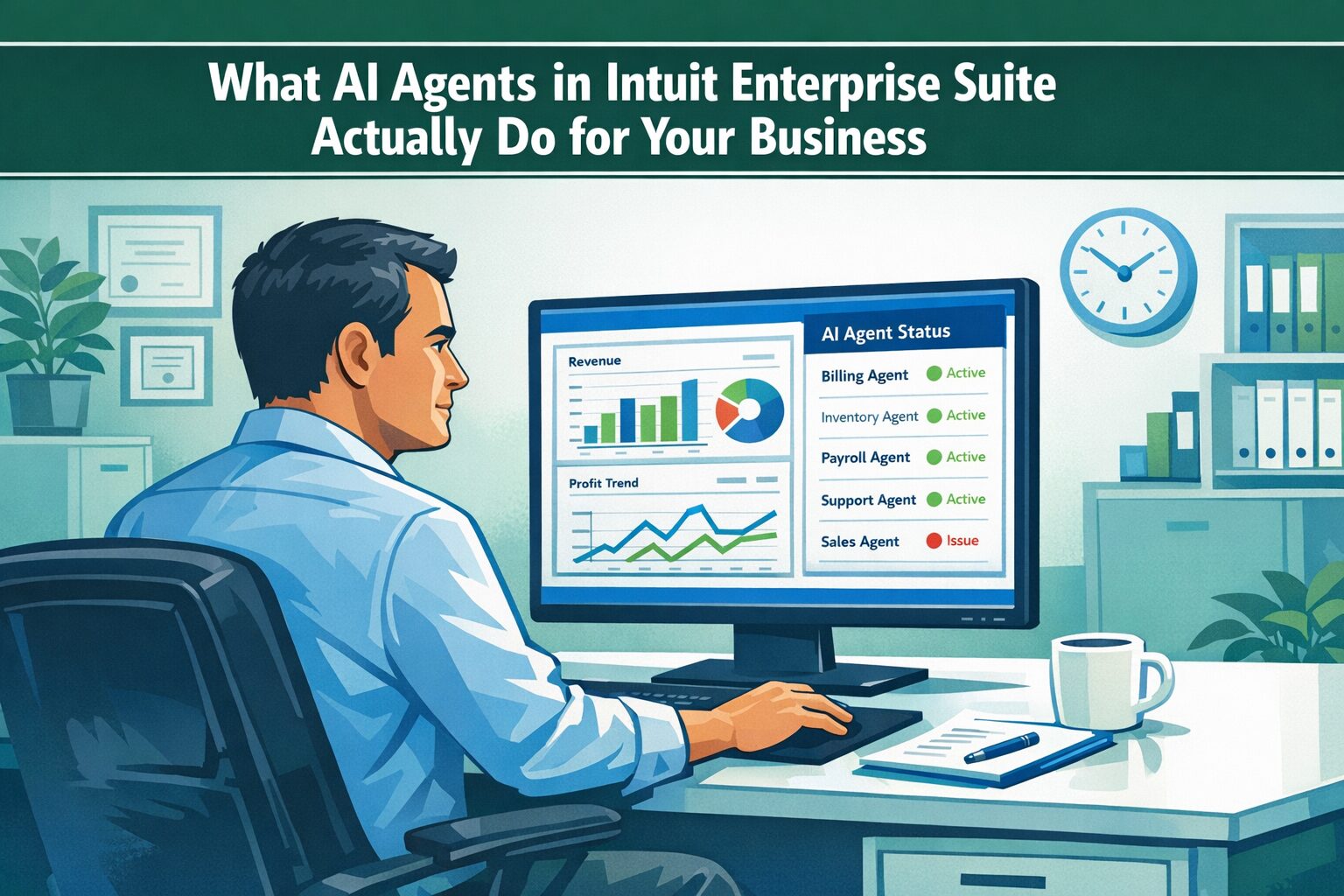
Most businesses that ask about AI in Intuit Enterprise Suite are really asking a simpler question: is this actually useful, or is it marketing? That’s the right question. And it deserves a specific answer — not a feature summary.
Intuit has built seven Intuit AI agents into IES, each assigned to a distinct area of financial operations. They are not a general-purpose assistant. They do not answer questions about your industry or draft promotional content on your behalf. What they do is take over defined categories of work that, until now, required human hands:
- Reconciliation
- Transaction categorization
- Payroll drafting
- Sales tax compliance
- Payments collection
- Project management
- Customer pipeline tracking
We have worked with enough growing businesses to know what that list actually means in practice. It means the bookkeeper spending two days a month matching transactions. The owner who knows invoices are past due but has no time to chase them systematically. The payroll administrator manually collecting hours from 20 field technicians before every pay run. The controller running a separate spreadsheet just to catch sales tax discrepancies before filing. These are not edge cases — they are the standard operating environment for a mid-market business that has grown faster than its systems.
The agents in IES are built for exactly that gap. This post covers what each one does, where the genuine value is, and what realistic expectations look like.
Key Takeaways
- As of the February 2026 update, Intuit Enterprise Suite includes seven AI agents: Finance, Accounting, Project Management, Payments, Customer, Payroll, and Sales Tax
- The first four agents launched in July 2025; the Customer and Payroll agents were added in November 2025; the Sales Tax Agent entered early access in February 2026
- Each agent handles a specific category of financial operations — they are not interchangeable and do not overlap
- The agents work on your actual business data inside IES — they are not a chat interface layered on top of your books
- In February 2026, Intuit announced a partnership with Anthropic to allow businesses to build and deploy their own custom AI agents inside IES — that capability is beginning to roll out in spring 2026
- These agents are exclusive to Intuit Enterprise Suite — they are not available in standard QuickBooks Online
- Implementation quality is the single biggest factor in early agent performance — the agents work with your data, and the quality of that data determines the quality of their output
The Problem These Agents Are Built to Solve
Growing businesses accumulate manual work the same way they accumulate everything else — gradually, then all at once.
The bookkeeper who could reconcile accounts in a morning now needs most of a day. The project manager who tracked job costs in a single spreadsheet now maintains three versions and isn’t sure which one leadership is looking at. The AR process that used to get handled in an afternoon sits neglected because no one has time to chase every overdue invoice. The payroll run that should take an hour turns into a half-day exercise collecting hours from field staff. The sales tax filing that should be routine becomes a manual audit of the P&L against the liability report to make sure they match.
None of this is the result of bad management or the wrong hires. It is the predictable result of a business growing past the capacity of its workflows — and those workflows being built from manual steps that do not scale.
The AI agents in IES are built to absorb that manual labor. Not all of it, and not without proper setup. But the specific categories they address are exactly where mid-market businesses consistently lose time and introduce error. That is not coincidence — it is what Intuit designed them to do.
What Intuit Intelligence Is — and Is Not
The system these agents operate within is called Intuit Intelligence. It is the platform’s AI layer — the infrastructure that connects your data to the agents, handles the reasoning, and surfaces outputs inside the IES interface.
Intuit Intelligence is not a chatbot. There is a conversational interface for asking questions and requesting analysis, but the core of what the system does is agentic: it monitors, categorizes, flags, drafts, and acts — without waiting for a prompt from a user.
It is also not a separate product purchased on top of IES. The agents ship with the platform. Their effectiveness depends on how the platform is configured and what the underlying business data looks like. This is where expectations tend to get misaligned: a well-implemented IES environment gets substantially more from these agents than one that was stood up quickly without attention to data quality and structure. The agents learn from your data. Clean, well-structured books produce better results from day one. Years of miscategorizations, duplicate vendors, and inconsistent account coding give the agents worse material to work with — and that shows up immediately in output quality.
The Seven AI Agents — What Each One Does
Feature descriptions below are based on Intuit’s official documentation and the February 2026 release notes published at firmofthefuture.com. Feature availability may evolve; verify current capabilities at intuit.com/enterprise.
Finance Agent
The Finance Agent monitors financial performance continuously and surfaces what matters without waiting for someone to pull a report. It watches for anomalies, trends, and deviations from budget — and flags them with specific next-action recommendations.
In practice, this means a controller or owner can open the platform and see, in plain language, that a specific expense category ran over budget in the trailing 30 days, or that revenue from a particular dimension is tracking below forecast by a defined dollar amount. The agent also provides scenario planning and forecasting, multi-entity support, and customizable monthly performance summaries — giving leadership a structured view of business health without requiring a custom reporting project every month.
The Finance Agent produces KPI-level recommendations, helping financial decision-makers identify and respond to risks and anomalies before they compound. According to Intuit’s survey data (December 2025), customers using Intuit AI across the platform save an average of six hours per month on financial management tasks.
Where the friction is: The Finance Agent produces its best work when the business has a configured KPI structure and meaningful historical data to compare against. Businesses in their first months on IES, or those migrating from a loosely structured QBO environment, need to invest in configuration before anomaly detection produces actionable signals. It will flag things from day one — but the quality of what it flags depends entirely on what you have set up.
Accounting Agent
This is the agent most businesses feel most quickly, because it goes after the manual work that consumes the most bookkeeping time.
The Accounting Agent automatically categorizes and populates transactions, generates matching suggestions with explanations, and handles reconciliation by comparing PDF financial statements to what is in the system — detecting anomalies and surfacing resolution options. It also requests missing credit card receipts and flags transactions that do not fit expected patterns. The bookkeeper reviews and approves rather than building every match by hand.
Intuit’s internal data (November 2025) shows businesses using the Accounting Agent reconcile accounts nearly three times faster than those doing it manually. An April 2025 survey found that 77% of customers report improved category prediction accuracy, and 74% report spending less time posting transactions.
| “Reconciliation is a whole lot easier now — everything just flows in automatically and saves me steps.” — Steven F., Owner, ADA Technologies — Intuit Enterprise Suite customer Source: Intuit QuickBooks product update, December 2025 |
Where the friction is: Prediction accuracy is a function of data consistency. A business that has used catch-all categories or inconsistent override rules will see more suggestions requiring manual review than one with a clean, well-maintained chart of accounts. The agent improves as it learns from corrections — but the starting point matters, and a messy data environment means a longer runway before the output is fully trustworthy.
Project Management Agent
For construction companies, professional services firms, and any business where revenue is tied to defined projects, the gap between estimated and actual project profitability is the most important financial question the business can ask — and often the hardest to answer in real time.
The Project Management Agent automates projects end-to-end: creating estimates, configuring project details and tasks, and suggesting profitability targets based on historical patterns. It can convert a signed contract directly into a project setup and build a project budget from a spreadsheet upload. It then monitors actual performance against targets throughout the project lifecycle, building variance summaries and recommending how future projects should be structured.
Intuit’s user data (September 2025) shows businesses using the Project Management Agent report 69% less work on average in project setup. The February 2026 Construction Edition — now in beta for IES users in the construction industry — extends these capabilities with phase tracking, cost groups, AIA-style invoicing, proposal building with e-signatures, and negative change order handling.
Where the friction is: Project profitability analysis is only as good as the cost data behind it. If labor, materials, and subcontractor costs have not been consistently coded to specific jobs, the agent cannot surface the job-level insight it is designed to produce. Implementing IES for a project-based business requires deliberate setup of job costing structure — the agent does not compensate for a poorly configured cost environment.
Payments Agent
Unpaid invoices are one of the most consistent cash flow problems in growing businesses — not because owners do not care about them, but because systematic follow-up on every overdue account requires time that does not exist when everything else is demanding attention. This is the pattern we see repeatedly: a business knows exactly which customers are past due and still cannot get to them.
The Payments Agent addresses this by analyzing customer payment behavior and executing personalized follow-up strategies: drafting and sending invoice reminders, suggesting recurring payment arrangements for predictable accounts, flagging chronic late payers, and giving leadership a real-time view of where receivables stand and what the cash flow impact looks like over the next 30 to 90 days. It autofills estimates based on lead content from Gmail, proactively drafts recurring invoices, and suggests transaction matches based on individual customer patterns. According to Intuit’s data (July 2025), businesses using the Payments Agent get paid an average of five days faster when sending AI-assisted invoice reminders.
| “We don’t bill until the end of the month historically, because the process was so laborious before. Now … we’re looking at invoicing weekly, so that cuts off 21 A/R days — which we estimate will free up $100,000 in capital that’s currently just stuck in A/R.” — Founder and CFO, landscaping and construction business — Intuit Enterprise Suite customer Source: Intuit Enterprise Suite customer account, intuit.com |
Where the friction is: The Payments Agent’s behavioral analysis depends on clean customer records. Duplicate customer entries, inconsistent naming, or split payment histories reduce the accuracy of pattern recognition. Businesses migrating from multiple QBO files often carry exactly this problem and need to resolve it before the agent can produce reliable payment predictions.
Customer Agent
Added in the November 2025 update, the Customer Agent focuses on the front end of the revenue cycle: sourcing leads from Gmail, drafting personalized email responses, and tracking customer opportunities through the sales cycle.
The intent is to give businesses a way to apply consistent pipeline management without running a separate CRM process outside the financial system. By connecting customer activity data to the financial records already inside IES, the agent can flag which prospects represent the strongest revenue potential based on the business’s actual historical patterns — not just pipeline stage.
Where the friction is: The Customer Agent is the newest of the original five and continues to develop. Businesses with a well-established CRM system should evaluate carefully whether the IES customer functionality covers their specific pipeline needs before treating it as a replacement — and for those with more complex pipeline requirements, the conversation with Intuit about current scope is worth having before assuming it replaces an existing tool. For businesses that have not been running a formal CRM process, it provides a meaningful starting point connected directly to the financial system.
Payroll Agent
Added in the November 2025 update alongside the Customer Agent, the Payroll Agent addresses one of the most time-consuming pre-processing tasks for businesses with hourly workers: collecting time data before every pay run.
The Payroll Agent collects employee hours and tips via text message or through the Workforce app, drafts payroll based on that input, detects anomalies in the draft — hours that look out of range, tips that do not match expected patterns, missing entries — and prepares the draft for administrator review and approval. The administrator reviews and approves rather than chasing down individual employees for timecard corrections before the deadline.
For field service businesses — HVAC, plumbing, electrical, cleaning — where 15 to 30 technicians are submitting hours from the field, this is not a marginal time savings. Collecting, consolidating, and verifying that data manually before every pay run is a significant recurring cost in both time and error rate.
Where the friction is: The Payroll Agent requires employees to submit hours through a supported channel — text or the Workforce app. Businesses with workers who are resistant to using a mobile app, or whose operations make text-based time submission impractical, will need to evaluate whether the collection mechanism matches how their crews actually work. The agent can only process what it receives.
Sales Tax Agent
The Sales Tax Agent entered early access with the February 2026 update. Early access means this feature is available but still maturing — verify current capabilities and eligibility directly with Intuit before building workflows around it.
The Sales Tax Agent automates sales tax workflows and includes a filing pre-check tool that automatically scans for discrepancies between the Profit & Loss report and the Sales Tax Liability report before filing. For businesses that have caught a significant mismatch the day before a filing deadline — and then spent hours manually tracing where it came from — this is the kind of pre-check that prevents a bad day from becoming a compliance problem.
For multi-entity businesses operating across multiple tax jurisdictions, sales tax has always been one of the higher-risk manual processes. The combination of IES’s multi-entity architecture and the Sales Tax Agent creates the conditions for a more defensible, auditable compliance workflow than most businesses in this range currently have.
Where the friction is: Early access features require careful evaluation. The pre-check capability is valuable on its own, but the full scope of what the Sales Tax Agent automates — and what it does not yet cover — should be confirmed with Intuit directly before this agent is incorporated into compliance workflows. Contact Intuit to understand current scope and eligibility before building processes around it.
A Hypothetical Example: What This Looks Like in Practice
The following is a hypothetical example to illustrate how this works in practice — not a specific client case study.
A regional HVAC and plumbing contractor runs a $6M business with 22 field technicians, two operating entities, and an office staff that spends the better part of four days every month on reconciliation, payroll prep, invoice follow-up, and job cost reporting. In leadership meetings, the owner hears some version of the same thing every month: the numbers are not ready yet.
After moving to Intuit Enterprise Suite with a structured chart of accounts, properly configured job costing, and clean customer records, the business activates all seven agents.
The Payroll Agent starts collecting hours from field technicians via text before each pay run. Technicians send their hours from the job site. The agent compiles the draft, flags a technician whose hours look out of range for the week, and prepares the payroll for administrator review. What used to involve two days of calls, texts, and spreadsheet corrections now takes a review and an approval.
The Accounting Agent handles reconciliation. Bank statements are imported, transactions are matched, and anomalies are flagged with suggested resolutions. The bookkeeper reviews and approves rather than building every match manually. What used to take two full days now takes most of a morning.
The Payments Agent identifies 11 customer accounts more than 30 days past due and generates personalized follow-up messages for each. The owner reviews and approves a batch send. Two accounts pay within 48 hours. The others enter an automated follow-up sequence. None of this required the bookkeeper to carve out time for it.
The Project Management Agent flags that two jobs completed the prior quarter came in significantly below projected margin — both involving the same subcontractor, similar scope. The pattern was in the data the whole time. Nobody had the bandwidth to find it.
Before the next sales tax filing, the Sales Tax Agent runs a pre-check and surfaces a mismatch between the P&L and the Sales Tax Liability report — a categorization error from three months prior that would have caused a filing discrepancy. It gets corrected before the deadline.
The monthly close still requires human judgment. What changed is the ratio of assembly work to judgment work. The assembly is largely handled by the system. The judgment stays with the people who are paid to exercise it.
What the Intuit and Anthropic Partnership Means for IES Users
In February 2026, Intuit announced a multi-year partnership with Anthropic — the AI safety company behind Claude — to bring custom AI agent capability to mid-market businesses on the Intuit platform.
The practical implication for IES users: businesses will be able to build and deploy their own agents inside the platform — agents customized to their specific industry, operational workflows, and data environment — using Anthropic’s Claude Agent SDK, running within Intuit’s security infrastructure. No technical expertise required to configure them.
Intuit’s announcement described two use cases: a regional restaurant group using a custom agent to automatically highlight margin variances across 15 locations; and a regional construction subcontractor using an agent that connects project timelines, lien waivers, and subcontractor payments to a cash flow forecast — flagging billing gaps and compliance deadlines automatically. These experiences begin rolling out in spring 2026. Full details are available in Intuit’s February 2026 press release.
For businesses evaluating IES now: the seven agents described in this post are the current state of the platform. The Anthropic partnership represents a meaningful expansion of what will be available over the next 12 to 24 months. The platform’s AI capability is expanding, not static.
All agents and custom experiences built through this partnership operate within Intuit’s existing security, compliance, and data privacy infrastructure. Customer data stays on Intuit’s platform and is used with customer permission.
When This Is the Wrong Move
IES and its AI agents are not the right answer for every business that finds its current financial workflows frustrating.
If the business operates as a single entity with straightforward financials, the problem is almost certainly not the platform — it is the implementation. A poorly configured QBO environment with bank feed issues, a bloated chart of accounts, or inconsistent job cost coding will produce the same inefficiencies on any platform. Moving to IES without resolving the underlying data problems moves the problems. It does not fix them.
The AI agents also require time to produce reliable value. The Accounting Agent improves as it learns from correction patterns. The Finance Agent becomes more useful once historical data exists to compare against. The Project Management Agent needs a properly configured job cost structure before it can surface meaningful variance analysis. Expecting immediate insight from day one is reasonable only if the implementation was done well. Most of the time, there is a ramp.
The Sales Tax Agent is in early access as of February 2026 — meaning it should be evaluated carefully before being incorporated into compliance workflows.
Intuit Enterprise Suite also carries a meaningful cost commitment relative to QBO. Businesses not yet operating at the complexity level the platform is designed for will pay for capabilities they are not positioned to use.
If you are not sure whether your current problems are platform problems or implementation problems, that is the right question to bring to us before making a decision. Peak Advisers works with businesses at both stages — and the answer is not always to move platforms.
How Peak Advisers Approaches This Conversation
When a business asks us about the AI features in IES, the first questions we ask are about the state of the data, not the feature set. What does your current reconciliation process look like? How is job cost tracked today, and how consistently? How do your field staff submit hours — and how much cleanup happens before payroll goes out? The answers to those questions tell us more about what the agents will actually produce than any demo does.
Peak Advisers has been a certified QuickBooks Solution Provider since 2011. We work with the full range of Intuit products, including Intuit Enterprise Suite, and we implement IES with attention to the data architecture decisions that determine whether the AI tooling performs as designed — or spends its time generating suggestions that someone has to manually override.
The agents in IES are genuinely useful for the right businesses, with the right setup. Real IES customers have described tasks that used to take a full day or two now taking minutes — and getting that time back to work on the business rather than in it. That outcome is achievable. It requires the right implementation.
| “Something that used to take me a whole day or maybe even two days now happens in minutes and I’m able to spend that time working on the company.” — Marsha Morales, co-founder and co-owner, Humble House Foods — Intuit Enterprise Suite customer Source: Intuit press release, July 22, 2025 |
If you want to know whether your operation is positioned to get that kind of result — or what it would take to get there — that is a conversation worth having before the purchase decision.
Related Content — When Your Financial System Is the Reason Growth Has Slowed Down
Frequently Asked Questions
How many AI agents does Intuit Enterprise Suite have?
As of the February 2026 update, IES includes seven AI agents: Finance, Accounting, Project Management, Payments, Customer, Payroll, and Sales Tax. The first four launched in July 2025. The Customer and Payroll agents were added in November 2025. The Sales Tax Agent entered early access in February 2026.
Are the AI agents available in QuickBooks Online?
No. The agents described in this post are features of Intuit Enterprise Suite — not QuickBooks Online. QBO includes some AI-assisted features at the transaction level, but the full agent suite is exclusive to IES.
Do the AI agents replace the bookkeeper, payroll administrator, or controller?
No — but they change what those roles spend time on. Reconciliation, transaction matching, routine payments follow-up, and payroll draft preparation require significantly less manual effort when the agents are properly configured. The judgment work — reviewing flagged anomalies, making close decisions, approving payroll, interpreting variance analysis — stays with the human. What changes is the ratio of assembly work to judgment work. The assembly gets handled by the system. The judgment stays in-house.
How accurate are the AI agents at categorizing transactions?
Intuit’s April 2025 survey found that 77% of customers report improved category prediction accuracy after activating the Accounting Agent. Accuracy depends on the consistency and quality of the underlying data. Businesses with clean, well-structured books see stronger results from the start. Businesses migrating from a loosely maintained QBO environment should expect a period of correction and learning before predictions stabilize at a level that meaningfully reduces manual review.
What is the Payroll Agent and which businesses benefit most from it?
The Payroll Agent collects employee hours and tips via text or through the Workforce app, drafts payroll based on that input, detects anomalies, and prepares the draft for administrator review and approval. It is most valuable for businesses with hourly field workers — contractors, service technicians, cleaning crews — where collecting time data before every pay run involves significant manual coordination. The agent replaces that coordination with a structured collection and draft process.
What is the Sales Tax Agent and is it ready to use?
The Sales Tax Agent automates sales tax workflows and includes a pre-check tool that automatically scans for discrepancies between the Profit & Loss report and the Sales Tax Liability report before filing. As of February 2026, it is in early access — available but still developing. Contact Intuit directly to understand current scope and eligibility before incorporating it into compliance workflows.
What is the Intuit and Anthropic partnership, and does it affect existing IES users?
In February 2026, Intuit and Anthropic announced a multi-year partnership to bring custom AI agent capability to mid-market businesses on the Intuit platform. It allows businesses to build agents tailored to their specific workflows using Anthropic’s Claude Agent SDK, operating within Intuit’s security and privacy infrastructure. Existing IES users will gain access to this capability as it rolls out in spring 2026. The seven agents described in this post are the current native agents — the Anthropic partnership enables additional custom agent development on top of them.
Is my financial data safe when AI agents are working with it?
The AI agents operate within Intuit’s security, compliance, and data privacy infrastructure. Customer data is used within the platform with customer permission and is subject to Intuit’s Global Privacy Statement. Custom agents built through the Anthropic partnership operate within the same infrastructure — not in an external system.
What to Do With This Information
The AI agents in Intuit Enterprise Suite are not speculative. Seven are in production now, they improve with each platform update, and the Intuit-Anthropic partnership signals the capability roadmap is moving toward deeper customization — not toward a feature ceiling.
For businesses already on IES: the question worth asking is whether the agents are configured and activated in a way that actually produces value, or whether the platform is being used well below its capability because implementation shortcuts left gaps in the data foundation. We have seen both — and the difference in outcomes is significant.
For businesses evaluating IES: the agent capability is a real and meaningful part of the platform’s value for businesses at the right stage of complexity. Getting to that value starts with understanding where the current system is actually failing — not with a feature comparison.
If you want an honest read on where your financial operations stand and whether the AI tooling in IES is likely to produce real value for your business, that is exactly the kind of conversation Peak Advisers is built for.