If you manage month‑end close across multiple entities, you don’t need another buzzword—you need your time back. Intuit Enterprise Suite (IES) is less about “new software” and more about fixing the structural problems that turn every close into a scramble.
At Peak Advisers, we’re seeing a pattern: once organizations hit a certain complexity—more entities, more intercompany activity, more reporting asks—the old way of closing in QuickBooks and Excel simply stops scaling. That’s where IES can turn month‑end from a heroic effort into a repeatable process.
Key takeaways
- Intuit Enterprise Suite centralizes multi‑entity accounting, dimensions, and workflows so month‑end lives in one environment instead of multiple files and spreadsheets.
- AI‑assisted automation in IES helps with tasks like bill capture, coding, anomaly detection, and allocations, which reduces the cleanup waiting at close.
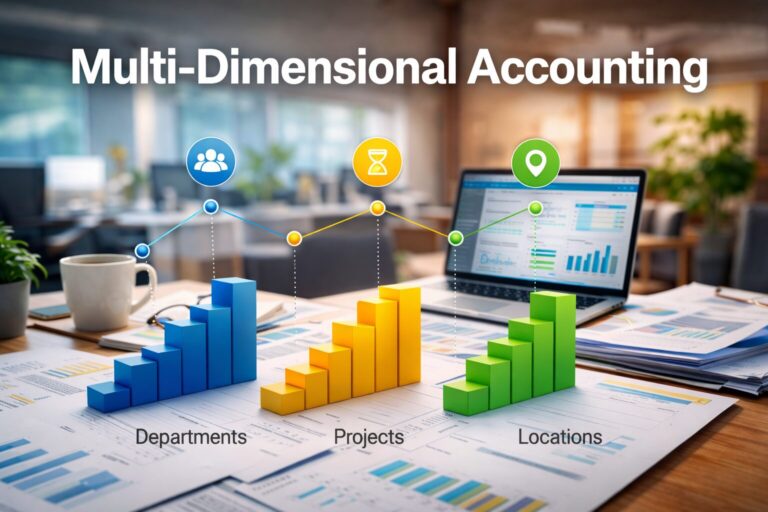
- Multi‑dimensional reporting lets finance slice results by entity, department, program, project, or region without a separate BI tool.
- Most teams won’t see a magically shorter first close, but within a few cycles many can cut days off their timeline by standardizing workflows in IES.
- Peak Advisers helps design the entity, dimension, and reporting structure so IES actually supports a faster, cleaner close instead of just producing more data.
Why month‑end close breaks first in multi‑entity organizations
Month‑end close doesn’t fall apart because your team forgot how to reconcile. It falls apart because growing complexity outgrows the tools and workarounds you started with.
The spreadsheet wall
With one or two entities, you can live in QuickBooks and a handful of Excel workbooks. By five entities, the tabs multiply. By ten, your “close workbook” has become a fragile, undocumented application that only two people truly understand.
The risk isn’t only errors. It’s that no one else can safely step in, and every change—a new entity, a new department, a new revenue stream—requires spreadsheet surgery.
Intercompany “mystery meat” and reclasses
Intercompany activity is where close often bogs down. You juggle due‑to/due‑from balances, eliminations that live in someone’s head, and recurring reclasses that happen “because that’s how we’ve always done it.”
The team spends hours chasing entries across entities, trying to answer basic questions:
- Did we book this on both sides?
- Is that balance real, or just timing?
- Why is this elimination different again this month?
Those hours rarely appear on a dashboard, but they absolutely show up in burnout and overtime.
The cost of a slow close
A slow close doesn’t just mean “the financials are late.” It means:
- Board materials go out late, so strategic conversations are rushed or rescheduled.
- Hiring and investment decisions rely on stale numbers.
- Teams start to distrust the data because so much changes in the final 48 hours.
That’s the hidden cost of running a 10‑, 12‑, or 15‑day close in a multi‑entity environment.
What changes when month‑end lives inside Intuit Enterprise Suite
Intuit Enterprise Suite won’t eliminate the work of closing the books—but it changes where that work happens and how much can be standardized.
One place for entities, dimensions, and workflows
In IES, your entities, dimensions (such as department, program, project, or region), and workflows sit in one environment instead of being scattered across exports and add‑ons.
That means you can:
- See entity‑level and consolidated results from the same system.
- Apply dimensions consistently instead of “almost the same” in every file.
- Track workflows like approvals, intercompany steps, and recurring accruals without losing sight of them in email.
You’re no longer reconciling three versions of the truth across multiple tools.
Real‑time visibility instead of end‑of‑month discovery
When all your meaningful insight lives in spreadsheets, month‑end becomes the moment you finally discover what happened. With IES, more of that insight is visible during the month.
Because entities share a common data model and reporting layer, you can check:
- Entity‑level P&L performance before month‑end.
- Department or program burn rates against budget.
- Cash, AR, and intercompany trends across the group.
Close shifts from “rebuild the story” to “confirm the story and package it.”
From heroics to repeatable process
Almost every growing organization has a close “hero”—the controller or senior accountant who knows where all the skeletons and formulas live. It’s impressive, but it doesn’t scale.
IES gives you a chance to turn hero knowledge into shared process:
- Standard intercompany patterns and workflows.
- A clear dimension and entity design everyone follows.
- Repeatable reporting packages, rather than bespoke spreadsheets each month.
When the system supports that structure, the team doesn’t have to rebuild close from scratch every cycle.
Inside the close: how IES changes the day‑to‑day work
Here’s where IES can take real time out of month‑end, not just clean up around the edges.
Automating intercompany and eliminations
Instead of manually hunting down intercompany entries and eliminations, you can define standard patterns and rules in IES.
Examples include:
- Regular management fees or cost allocations between entities.
- Shared services expenses distributed by headcount or revenue.
- Internal revenue that must be eliminated on consolidation.
IES can automate or template these allocations and entries, so close becomes “review and approve” rather than “rebuild everything by hand.”
Bank feeds, AP, and accruals with AI assist
IES brings AI‑assisted workflows into the day‑to‑day transactions that create cleanup work at close. In practice, that means the AI agents in Intuit Enterprise Suite are continuously supporting AI‑assisted month‑end workflows—catching issues earlier and reducing the manual detective work your team faces at close.
For example:
- Bill capture and auto‑coding help keep AP current and categorized correctly.
- AI‑driven anomaly detection flags unusual amounts or patterns, so you can investigate before close.
- Pattern‑based suggestions make it easier to spot missing accruals earlier, instead of three days into reconciliation.
AI isn’t “doing close for you,” but it reduces the number of surprises your team faces in the last week.
Dimensional reporting without a separate BI tool
In many environments, the only way to see performance by entity and department and project is to dump everything into Excel or a BI tool. IES is built around dimensions, so that kind of view can live inside the system.
You can:
- Slice performance by entity, department, program, project, or region from standard reports.
- Build views that leadership can access without asking finance to “pull a special report.”
- Keep operational and financial views aligned, instead of maintaining separate reporting universes.
That shortens the last mile of close: explaining what happened and packaging it for stakeholders.
A week in the life: from 12‑day close to 5‑day close
To make it tangible, imagine a $20M services group with nine entities—a mix of operating companies and real‑estate entities under common ownership.
Before Intuit Enterprise Suite
Before IES, their close looked like this:
- A 12‑day close every month.
- Six critical spreadsheets: consolidations, eliminations, allocations, and three “temporary” workbooks no one dares retire.
- Intercompany questions that linger a week past close while someone reconstructs which side of the entry is correct.
- A controller spending evenings fixing classification issues that crept in during the month.
Everyone agreed it wasn’t sustainable, but no one had bandwidth to redesign the process while still doing the work.
The first close on Intuit Enterprise Suite
The first close on IES wasn’t magically faster. It required:
- Learning new workflows and dashboards.
- Testing dimension and entity configurations against existing reporting.
- Validating that consolidated reports aligned with what leadership expected to see.
The difference was that entities, intercompany balances, and key dimensions were now visible in one system. The team still needed judgment and adjustments, but wasn’t hunting for data across tools.
Three months later: a 5‑day close
By the third or fourth close on IES, the story changed:
- Close consistently landed around five business days.
- Intercompany rules handled the bulk of recurring transactions, leaving only exceptions.
- Entity‑level and consolidated reports were available on dashboards the CFO could check throughout the month.
- The controller spent more time explaining “what this means” and less time fixing “where did this go.”
That’s the real promise of IES for month‑end: not perfection, but a sustainable, predictable process that supports better decisions.
Is your team ready for an Intuit Enterprise Suite‑powered close?
IES isn’t for everyone. It shines when your complexity has outgrown the way you’re working today.
Signals that QuickBooks has hit its complexity ceiling
You may be ready to explore IES if:
- You manage more than a handful of entities, and close is mostly a spreadsheet exercise.
- Intercompany reconciliations consistently delay close.
- Board or leadership reporting is heavily customized and manually assembled every month.
- You maintain separate “management” and “book” views because it’s too hard to get everything into one structure.
- Your finance team spends as much time fixing data as analyzing it.
If those points sound uncomfortably familiar, the issue is less about your people and more about the structure and tools they’re working with.
Related Content:
7 Signs You’ve Outgrown QuickBooks
Choosing the Right Accounting Software for Your Growing Business
When Desktop or a patchwork stack is still enough
On the other hand, you might not need IES yet if:
- You only have one or two entities with straightforward activity.
- Intercompany transactions are rare and easy to reconcile.
- Your close regularly lands in a few days with minimal overtime.
- Most of your complexity is operational, not financial structure.
In those cases, tightening processes and reporting inside your current QuickBooks environment—or carefully selected add‑ons—may be the better first move.
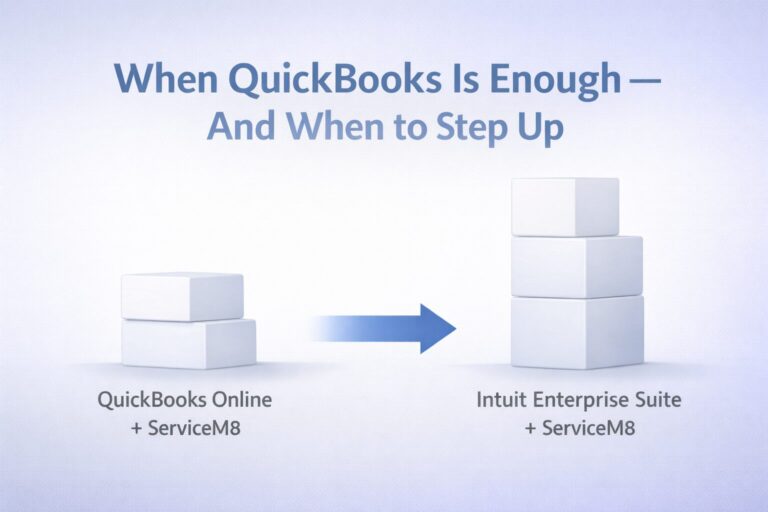
At this point, the real question isn’t just whether IES can improve close. It’s where it fits in the broader QuickBooks landscape and whether stepping up makes sense for your stage of growth.
Where Intuit Enterprise Suite Fits in the QuickBooks Landscape
Intuit Enterprise Suite fills a gap that’s been obvious for years.
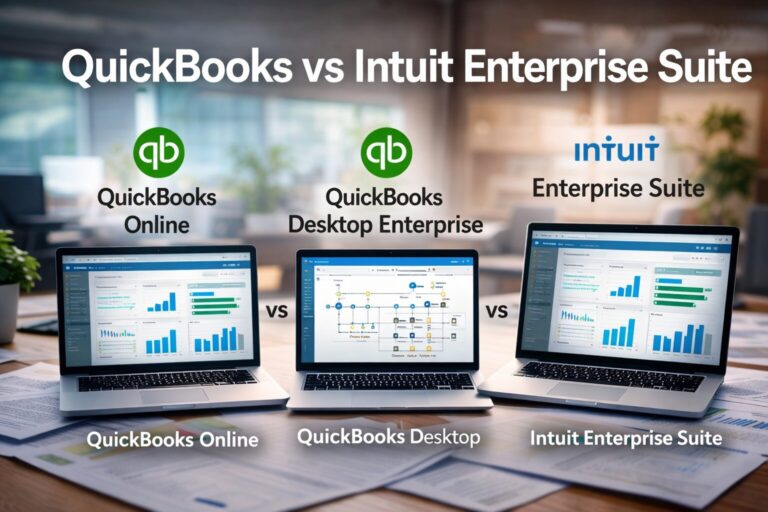
QuickBooks Online Advanced works well for single-entity organizations that need strong integrations and cloud access.
QuickBooks Desktop Enterprise increases capacity—more users, deeper inventory—but its sweet spot is still a largely single‑entity environment. Once multiple entities and regular consolidations enter the picture, spreadsheets tend to take over.
IES was built for that middle ground: organizations operating several entities under common ownership that need consolidated reporting and structured intercompany workflows without jumping into full ERP territory.
Beyond that, when you’re dealing with highly customized operational workflows or global, highly regulated structures, more traditional mid‑market ERPs—such as NetSuite or Sage Intacct—may be a better fit than Intuit Enterprise Suite.
The decision isn’t about prestige. It’s about structural fit.
Why structure and advisory matter more than software
Even the strongest platform can’t rescue a weak design. If entities, dimensions, and your chart of accounts aren’t thoughtfully structured, you just get a faster way to generate confusing reports.
That’s why we treat IES work as a finance‑leadership project, not just a software implementation. The goal is a close process that supports decisions, not just a new login.
How Peak Advisers helps you get to a 5‑day close with IES
Technology matters—but the way you design and operate it matters more.
Evaluating whether Intuit Enterprise Suite is the right next step
We don’t start with “you should move to IES.” We start with:
- How many entities you have and how they interact.
- What your month‑end timeline and pain points look like today.
- What your leadership team needs to see, and how often.
Sometimes that points to IES. Sometimes it points to refining QuickBooks Enterprise, staying in QuickBooks Online Advanced, or looking at something else. The right answer is the one that supports your strategy.
Designing entities, dimensions, and reporting for your reality
If IES is the right fit, design is everything. We help you:
- Map entities and ownership structures.
- Define dimensions that reflect how you actually manage the business—departments, programs, projects, regions, and more.
- Align chart of accounts and reporting with board, lender, and management needs.
Done well, this design work is what unlocks a faster, more reliable close.
Implementation, training, and ongoing oversight
We don’t disappear after go‑live. Peak Advisers stays close through:
- Early close cycles in IES to validate results and fine‑tune workflows.
- Training for your internal team so they understand not just which buttons to click, but why the structure is built the way it is.
- Ongoing advisory support as your entity structure, programs, and reporting needs evolve.
The aim is simple: a close process your team can run confidently, and leadership can trust.
Frequently asked questions about IES and month‑end close
Is Intuit Enterprise Suite only for very large companies?
No. IES is designed for growing, often mid‑market organizations that have outgrown traditional QuickBooks setups—especially those with multiple entities, locations, or complex reporting and consolidation needs.
Will Intuit Enterprise Suite automatically cut our close to five days?
No system can do that on its own. IES makes it possible by centralizing entities, automating intercompany work, and improving visibility, but hitting a five‑day close still requires good process design, accountability, and clear reporting expectations.
Do we need a full internal finance team to benefit from IES?
Not necessarily. Many organizations run IES with a lean internal team plus outside advisors. What matters is having someone accountable for structure, processes, and oversight—which is where a partner like Peak Advisers often fits.
How does IES help specifically with intercompany and consolidations?
IES lets you map accounts across entities, automate intercompany postings and allocations, and run consolidated P&L, balance sheet, and cash flow reports from one system, which removes much of the manual intercompany work from month‑end.
How do we know if we should stay on QuickBooks Online or QuickBooks Desktop Enterprise?
If your entity count is low, close is relatively quick, and reporting needs are modest, QuickBooks Enterprise or QuickBooks Online Advanced may still be a great fit. A short discovery conversation focused on your close process, pain points, and growth plans usually makes the trade‑offs clear.
Get help building a faster month‑end close with IES
If month‑end close takes longer than it should—and your entity structure keeps getting more complicated—now is a good time to step back and look at the bigger picture. Intuit Enterprise Suite gives you the tools to centralize entities, dimensions, and workflows, but the results depend on how you design and run it.
At Peak Advisers, we help you decide whether Intuit Enterprise Suite is the right next step, or whether staying on QuickBooks and refining your current setup makes more sense right now. You don’t have to guess: we walk through your entities, close timeline, reporting needs, and growth plans so the trade‑offs are clear.
If you’re ready to explore what a faster, more reliable close could look like for your organization, start by scheduling a conversation with Peak Advisers. We’ll focus on your month‑end process first—then talk about whether IES belongs in the solution.