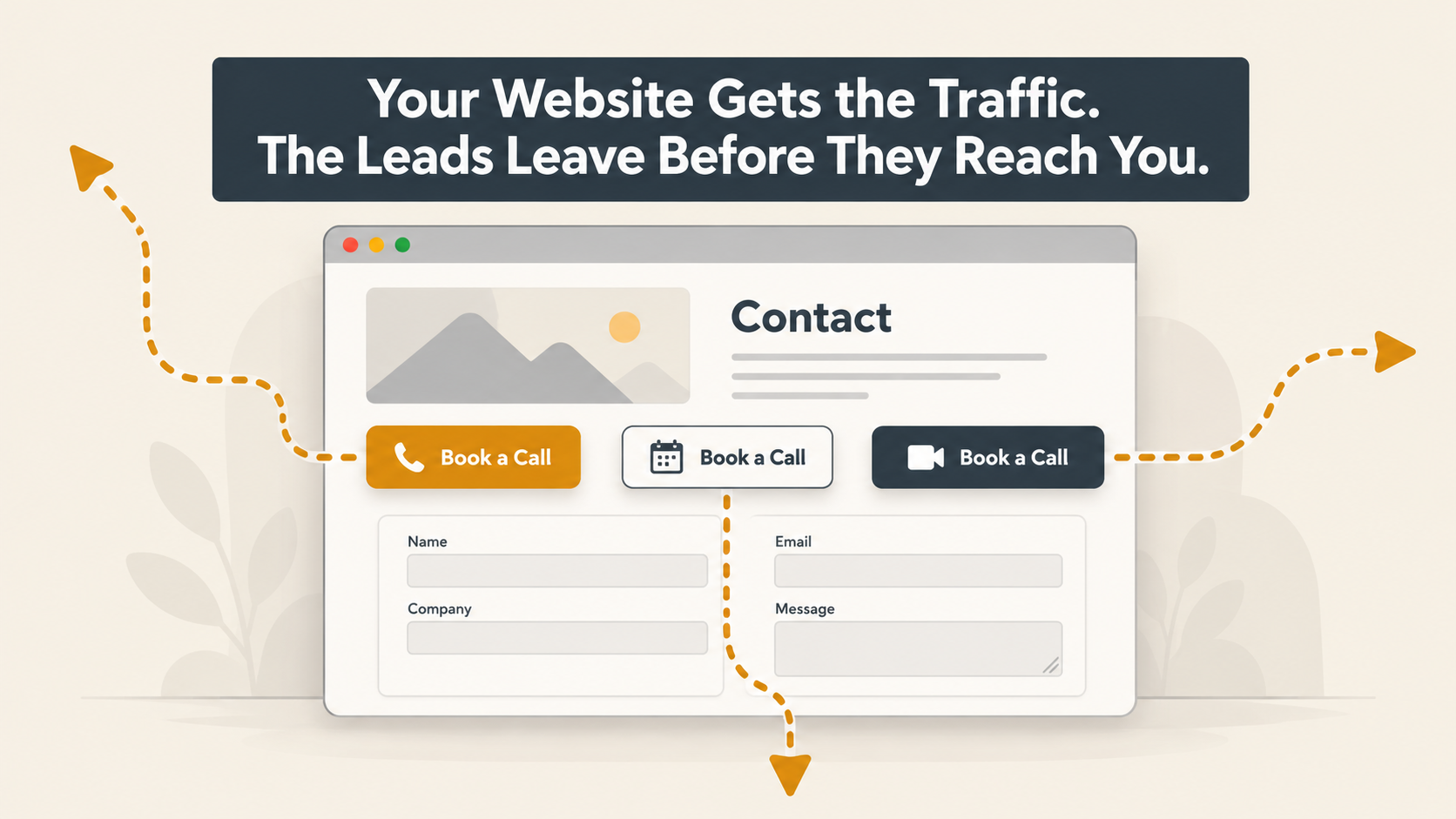
Recently, we clicked through our own website the way a new visitor would, the same way we check client sites for lost website leads. We found three different ways to book a call with us. The button in the header opened Bruce’s calendar. Several older blog posts opened mine. Newer posts sent people to a contact form that promised a reply “as quickly as possible” and ended with a button that just said Submit.
Nobody planned it that way. Each link went in at a different time, for a good reason, usually to make booking a little easier. Put together, they made it harder. In our experience, that’s how most small business websites lose people. There’s rarely one big mistake. There are a handful of small, sensible decisions that nobody has looked at side by side.
Getting found in Google and AI search is half the job. The other half is turning those visitors into website leads, and that half gets less attention, mostly because traffic shows up in a report and lost inquiries don’t.
Key Takeaways
- Getting traffic and turning it into website leads are two separate problems. Sending more traffic down a leaky path just loses more people.
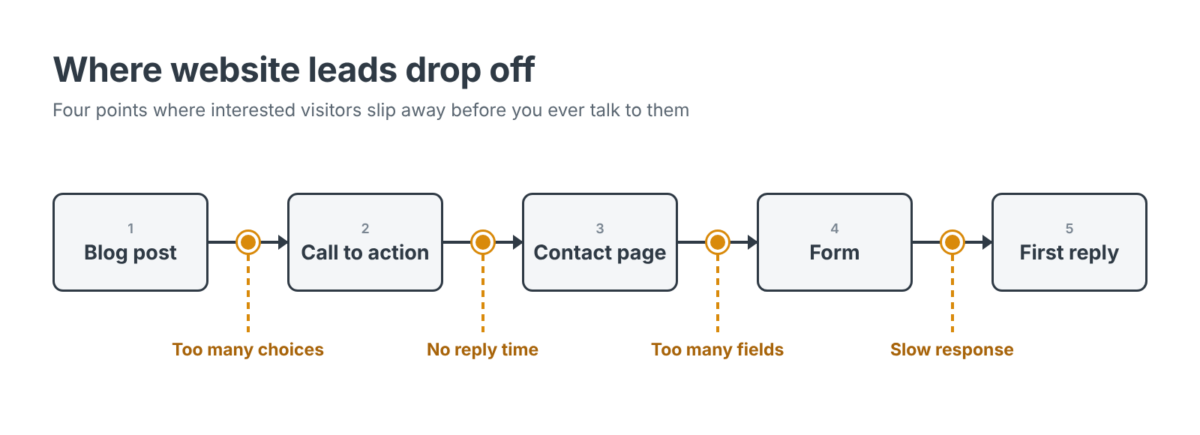
- Most lost inquiries happen in one of four places: the call to action, the contact page, the form, or the first reply.
- One booking path works better than several. Every extra option is one more decision a visitor has to make before reaching out.
- A contact page should say what happens next and when. “Within one business day” earns more trust than “as soon as possible.”
- If form submissions aren’t tracked, you can’t tell whether any change helped.
Traffic Is Easy to Measure. Website Leads Are Where the Revenue Is.
If you’re reading this, you’ve probably seen the pattern already. Google Analytics shows more visitors every month. People are reading the blog. The phone isn’t ringing any more than it used to.
The natural reaction is to push harder on the part you can see: write more posts, boost more ads, try another round of SEO. But if most visitors are getting lost somewhere between the article and your inbox, doubling the traffic mostly doubles the number of people who leave.
That gets expensive. Every one of those visitors cost something, whether it was ad spend, content, or the months it took to rank. When the path from a visitor to a conversation is broken, you keep paying for attention you never get to use. Eventually an owner looks back at a year of marketing spend, sees nothing in the pipeline, and decides marketing doesn’t work. Then the budget gets cut from the one piece that was doing its job.
Follow One Visitor From the Post to the Call
Picture someone reading one of your posts and deciding they’d like to talk. On most small business websites, there are four steps between that moment and hearing back from you, and each one can lose someone who was ready to reach out.
The Call to Action That Offers Three Choices
The header button says “Schedule a Call.” The post says “Contact Us.” A chat window pops up in the corner. The footer has a phone number and an email address. Every one of them was added to help.
For someone who’s ready to act, though, it’s a decision they didn’t expect to make. Which one should they use? Do they all go to the same person? On our site, two of those links opened two different people’s calendars, so a visitor had to guess which of us fit their question.
Pick one place for every call to action to go. Phone and email can still sit on that page for people who’d rather call or write. If your business runs on self-scheduled first meetings, a calendar link can be that one place. Calendly was never the issue for us. Having three paths from three different spots was.
Start where every visitor looks: the header, the homepage, and your most-read posts. If you have time later, go back through older posts too. Links from a few years ago are easy to forget about.
The Contact Page That Leaves People Guessing
Once someone lands on your contact page, they want to know a few things before they type anything. Who’s going to read this? When will I hear back? What happens after that? Most contact pages don’t say.
“We’ll get back to you as soon as possible” doesn’t give anyone something to count on. A specific window does. Pick one your team can hit every time, because a missed promise does more damage than no promise at all. “Within one business day” is better than “within the hour” if the hour isn’t realistic for you.
The button wording matters more than you’d think, too. “Submit” describes work the visitor has to do. “Send My Question” describes what they’re getting. It’s a small change, but it’s the last thing they read before deciding.
The Form That Asks for Too Much
Every field on a form is a chance for someone to give up. Company size, annual revenue, budget range, a required phone number. Each one is useful to you, and each one is a small cost to the visitor, paid before they’ve gotten anything back.
For most service businesses, three fields are enough for a good first reply: name, email, and how you can help. In one case study that gets cited a lot, a firm cut its contact form from 11 fields to 4 and roughly doubled its form conversion rate (Imaginary Landscape case study). That was one company, and it was a while ago, so take it as a direction rather than a promise.
You do give something up with a shorter contact form. You’ll know less about people before you talk to them. We think that’s fine, since the first reply is a better place to ask those questions anyway. If you really want a phone number, make it optional.
The Reply That Comes Two Days Later
Even a perfect form only gets you halfway. Once someone hits send, the clock starts.
Researchers writing in Harvard Business Review sent inquiries to 2,241 U.S. companies and timed the responses. Among the companies that replied within 30 days, the average reply took 42 hours, and almost a quarter never replied at all. Companies that tried to reach a lead within an hour were nearly seven times as likely to have a real conversation with a decision-maker as companies that waited even one hour longer (The Short Life of Online Sales Leads, HBR). That study is more than a decade old, but later research keeps finding the same thing.
Slow replies usually don’t come from people not caring. They come from a shared inbox where everyone assumes somebody else already answered. What helps is deciding who owns new inquiries, holding to the response window you posted, and sending an automatic confirmation that repeats it, so people know their message got through.
What We Changed on Our Own Site
None of this took a redesign. Here’s what we did:
- One booking path. The “Schedule A Call” button in our header and the calls to action in our new posts now go to the contact page. We’re updating older posts as we get to them.
- A stated response window. The contact page now says we’ll follow up within one business day.
- A button that says what it does. The form now ends with “Send My Question” instead of “Submit.”
- A short form, kept short. Name, email, and how we can help. Nothing else is required.
- Submissions tracked. Contact-form submissions are tracked as a key event in Google Analytics, so we can see which posts bring in inquiries, not just visits.
We made these changes after a stretch of strong traffic growth (how we grew our own website traffic by 160%). That growth is what made the problems worth fixing. More visitors on a confusing path just means more people leaving.
When Website Conversion Work Won’t Fix It
Sometimes the website isn’t the problem. If most of your traffic lands on how-to posts read by people who were never going to hire anyone, a cleaner contact path won’t turn them into clients. And if local customers don’t see you in map results, or AI search tools never mention you, the gap is before anyone reaches your site.
You can usually tell from the numbers. Most of the traffic goes to a few informational posts, very little reaches your service pages, and the inquiries you do get come from referrals rather than search. In that case, start with bringing in the right people. Our posts on blog SEO, local search ranking, and the AI search check cover that side. If you can’t tell which problem you have, that’s a good conversation to have with us before you spend money on either one.
Where Peak Advisers Starts When a Site Isn’t Producing Website Leads
We look at a website the same way we look at a QuickBooks file: figure out where things are getting lost before adding more.
That means we start with the path and the inbox, not a redesign. We send a test inquiry and time the reply. We count how many ways there are to book. We check whether form submissions are being tracked, and if they are, which pages are producing them. Owners are often surprised by what we find. The posts that bring in the most traffic are rarely the ones that start the most conversations.
Once that’s clear, it’s usually obvious what to do first. Fix the spots that are losing people now, then decide whether the site needs more traffic, different traffic, or neither. You can see everything we offer on our digital marketing services page.
Frequently Asked Questions
Why does my website get traffic but no leads?
Website leads usually stall because visitors get lost somewhere between reading and reaching out. The most common causes are too many competing calls to action, a contact page that doesn’t say when you’ll reply, a form that asks for too much, and slow follow-up. Less often, it’s the traffic itself: people who came for general information and were never looking to hire anyone.
What is a good website conversion rate for a small service business?
The published numbers vary too much to be a useful target. Depending on who did the counting and what kind of form they measured, contact form benchmarks differ by several times over. Your own numbers are a better benchmark. Track form submissions for a month, change one thing, and compare.
How many fields should a contact form have?
For most service businesses, three: name, email, and a message. Everything else can wait for the first reply. If you need a phone number, make it optional.
Should a small business use a booking link or a contact form?
Either one can work. A booking link suits businesses with a standard first meeting. A form suits businesses that need some background before the first call. Problems start when a site offers both, from different places, without telling visitors which one to use. Choose one and send every call to action there.
How do I know if my website’s form submissions are being tracked?
Google Analytics 4 now calls conversions “key events.” In Admin, under Data display, open Events and see whether your form submission event is marked as a key event. Then send yourself a test through the form and check that it shows up in the Realtime report. Standard properties can mark up to 30 events as key events (Google Analytics Help).
How fast should a business respond to a website inquiry?
Within whatever window you’ve posted, every time. One business day is a reasonable standard for most small service businesses. Faster is better if you can keep it up, but a promise you keep earns more trust than a faster one you miss.
The Traffic Is Already Paid For
Most small businesses that are short on website leads don’t need more visitors first. They need the visitors they already have to be able to reach someone. That’s usually a cheaper fix than the next round of traffic.
If people are reading your site and your inbox doesn’t show it, we’d be glad to walk the path with you, from the first click to the first reply, and show you where people are dropping off.