The migration has a finish line. Go-live is the date on the project plan, the milestone that gets announced in the team meeting, the moment the old system gets turned off. It feels like the end of something — and in one sense, it is.
What doesn’t have a finish line, and rarely gets the same attention, is everything that comes after. Most businesses that complete an Intuit Enterprise Suite setup are now running on a platform significantly more capable than what they came from. They’re also using roughly the same fraction of it they used in QuickBooks Online. The chart of accounts carried over. The reports look different. The close is faster. But the questions leadership couldn’t answer before go-live are often still unanswered six months later — not because IES can’t answer them, but because the configuration work required to answer them was never done.
The gap between “live” and “fully configured” is where most of the post-go-live value disappears. This post is about what’s in that gap, why it tends to stay there, and what closing it actually requires.
Key Takeaways
- Going live on Intuit Enterprise Suite and having it configured to deliver full value are two different things — and the distance between them is where most post-migration opportunity gets lost
- The chart of accounts that migrated from QuickBooks Online was built for a different environment; leaving it unchanged limits consolidated reporting from the start
- Dimensional reporting is a capability, not a setting — it requires deliberate configuration before it produces the visibility IES was designed to deliver
- Role-based permissions by entity are one of IES’s most operationally significant features and one of the most commonly misconfigured
- The AI-powered forecasting tools draw on historical data and defined dimensions; they require both to produce projections worth acting on
- Businesses that feel ongoing friction after go-live often diagnose it as a training problem — when the actual issue is structural, and requires configuration work to resolve
The Difference Between Live and Configured
Going live means the data moved, the chart of accounts is in place, and transactions are posting correctly. It means the migration succeeded. What it doesn’t mean is that the system is structured to produce the financial visibility the business actually needs — or that the reports leadership is pulling reflect the organizational complexity IES was built to handle.
This distinction matters because the two states feel similar from the outside. The system is running. People are using it. Month-end close is happening. The friction that remains — the reports that still require manual adjustment, the consolidated view that still requires a phone call to assemble, the forecasting tools that nobody has touched — doesn’t announce itself as a configuration problem. It shows up as lingering frustration with a system that was supposed to be better than what it replaced.
For most newly live IES environments, the gap between live and configured comes down to four decisions that either weren’t made during implementation or were deferred to a later phase that hasn’t arrived: chart of accounts structure, dimensional reporting setup, permission architecture, and forecasting activation. Each one is addressable. None of them resolves itself.
The Chart of Accounts Problem Nobody Warns You About
The most common structural mistake in a post-migration IES environment has nothing to do with the migration itself. It’s what didn’t change during the migration: the chart of accounts.
When a business moves from QuickBooks Online to IES, the chart of accounts typically carries over intact. That makes sense as a migration strategy — it keeps historical data coherent and reduces disruption during the transition. The problem is that a chart of accounts built for a single QBO entity wasn’t designed for multi-entity consolidated reporting. It was designed to answer one entity’s questions. In a multi-entity IES environment, it becomes the upstream decision that determines whether every report downstream tells the truth or requires manual adjustment to be useful.
The symptoms are recognizable. Consolidated P&L reports that require interpretation before leadership can read them. Account names that made sense in one entity context but create ambiguity across three. Intercompany eliminations that are harder to trace than they should be because the account structure wasn’t designed with elimination in mind. A controller who spends part of every close process annotating reports that should be self-explanatory.
Redesigning the chart of accounts for a multi-entity environment is not a minor project, and it isn’t something most businesses budget for during migration planning. But it is the foundational decision that determines how much of IES’s consolidated reporting capability the business can actually use — and leaving it unchanged is the single fastest way to limit the platform’s value from day one.
Dimensional Reporting Requires Decisions, Not Just Access
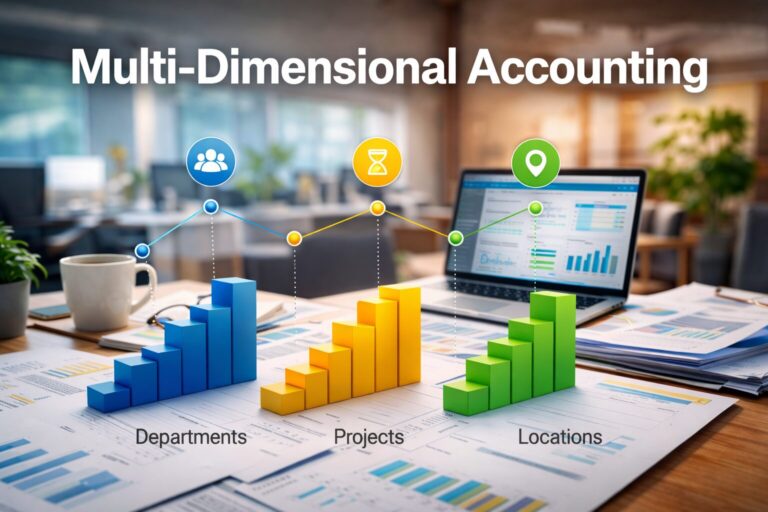
Intuit Enterprise Suite has dimensional reporting built in. Businesses can track performance across departments, regions, programs, cost centers, product lines, and other custom dimensions — within a single ledger, without the workarounds that QBO’s Class and Location structure required. That capability is one of the primary reasons multi-entity businesses move to IES.
Having access to dimensional reporting is not the same as having it configured. Dimensions have to be defined — deliberately, in terms that reflect how the business actually operates. They have to be applied consistently across transactions. And they have to be connected to the reports leadership needs before those reports produce anything useful.
When this step gets deferred — which it frequently does, because it requires organizational decisions that go beyond the finance team — the business ends up with a more expensive version of what it already had. The ledger is accurate. The consolidated view is available. But the performance questions that required a spreadsheet to answer before go-live still require one, because the dimensional structure that would answer them hasn’t been built.
The decisions required to configure dimensional reporting correctly aren’t complicated, but they do require input from outside the accounting function. What dimensions does leadership actually use to evaluate performance? What level of granularity is useful versus what creates noise? How should dimensions map to the entity structure? These are organizational questions with accounting consequences, and they’re most productively made with someone in the room who has seen how other businesses in similar situations have answered them.
Permissions That Reflect the Organizational Structure
One of the structural differences between Intuit Enterprise Suite and QuickBooks Online is role-based access control by entity. In a properly configured IES environment, a regional manager can see the financials for their entity without seeing consolidated group data. An external accountant can access the reports they need without touching payroll. The controller can manage intercompany tasks across all entities without giving every finance team member the same view.
Most newly live IES environments don’t use this correctly — not because the capability isn’t there, but because permission architecture rarely gets the attention it deserves during implementation. The result is usually one of two failure modes.
The first is access that’s too broad. Everyone with a finance role can see everything across all entities. This creates compliance risk as the business grows, erodes the internal controls that multi-entity management is supposed to support, and eventually produces the kind of data access incident that is expensive to explain to a lender or auditor.
The second is access that’s too narrow. The controller becomes the bottleneck for every report request because nobody else has the access to pull their own data. The finance team spends time fielding requests that the system was designed to let each stakeholder handle independently.
Getting permissions right is a configuration decision with operational consequences that compound over time. It is also one of the easier things to get right with a methodical review — and one of the harder things to untangle once the wrong patterns have been in place for a year.
Forecasting Tools That Require a Foundation Before They Deliver
Intuit Enterprise Suite includes AI-powered financial planning and analysis tools that can build forecasts up to three years into the future based on historical performance, drawing on up to five years of data. Dimensional P&L forecasting lets businesses evaluate projected revenue and expenses by department, region, program, or other custom dimensions. Forecasts can be converted directly into budgets or exported to Excel.
Most businesses that are ninety days post go-live haven’t touched any of this.
That’s partly a capacity issue — implementation and transition absorb the team’s attention, and forecasting feels like a phase-two item. But it’s also a sequencing issue. The forecasting tools require a foundation before they produce projections worth acting on: historical data that’s clean and consistently categorized, dimensions that are defined and applied, and a budget structure in place that gives the AI something to work against.
In an environment where the chart of accounts hasn’t been redesigned and dimensional reporting hasn’t been configured, activating the forecasting tools produces output that requires significant manual adjustment before it’s usable. The sequence matters. Configuration work done in the right order means the forecasting capability is available when leadership is ready to use it. Configuration work skipped means the forecasting tools sit unused — or produce numbers that don’t match how the business thinks about itself.
A Look at 90 Days Post Go-Live
The following is an illustration of a pattern Peak Advisers sees regularly in newly live IES environments — not a specific client case study.
A professional services firm with three entities — a primary operating company, a holding entity, and a newer division launched eighteen months ago — completes its IES migration on schedule. The data is clean. The migration went smoothly. The controller is relieved.
Ninety days later, the consolidated P&L still requires about half a day of manual work before the monthly leadership meeting. Not because IES can’t produce it — it can — but because the chart of accounts that migrated from QBO wasn’t designed for three-entity consolidation, and the account structure creates ambiguity in the eliminations that the controller resolves by hand each month.
The firm tracks performance by service line and by client type — two dimensions that were handled in QBO through a combination of Class tags and manual Excel analysis. In IES, those dimensions could be configured natively and tied directly to the P&L, eliminating the Excel step entirely. That configuration hasn’t happened. The Excel step is still there.
The forecasting tools are visible in the system. Nobody has opened them. The budget for the current year exists in a spreadsheet that was built before the migration and hasn’t been connected to IES.
The controller knows the system can do more than it’s doing. The conversation hasn’t happened yet about what it would take to close the gap — partly because everyone is busy, and partly because it isn’t obvious who should be having it.
That conversation is what Peak Advisers is built for.
When Configuration Work Is the Right Next Step, Not More Training
Businesses that feel friction six months after go-live often reach for the same explanation: the team needs more training. Sometimes that’s correct. IES has meaningful depth, and there are features that staff don’t know exist or don’t know how to use effectively.
But training addresses a knowledge gap. Configuration work addresses a structural one. When the friction is coming from a chart of accounts that wasn’t redesigned, dimensions that were never defined, or reports that were never built to answer the questions leadership is actually asking — additional training on how to navigate the system doesn’t resolve it.
The distinction matters because the two interventions have different costs and different timelines. Training is faster and feels more immediate. Configuration work requires assessment, decisions, and implementation — but it’s the one that produces durable change. A team that is well-trained on a system that isn’t configured correctly will still hit the same walls, just more efficiently.
The honest assessment of most post-go-live IES environments is that both are usually needed, in sequence. The configuration decisions that establish the structure come first. Training that builds on a correctly configured system compounds that investment rather than substituting for it.
How Peak Advisers Supports IES Environments After Go-Live
Peak Advisers doesn’t exit the relationship at go-live. For businesses that came to us for migration support, the post-go-live period is where the advisory work becomes most visible. For businesses that completed their migration with another provider and are now experiencing the friction described in this post, the entry point is an assessment of what’s configured, what isn’t, and what closing that gap would require.
That conversation starts with the chart of accounts — whether it was redesigned for the multi-entity environment or carried over from QBO unchanged. It moves through dimensional structure, permission architecture, reporting configuration, and forecasting readiness. The result is a clear picture of where the system is performing and where it isn’t — and a specific set of recommendations for what to address first.
Peak Advisers has been a certified QuickBooks Solution Provider since 2011. We work with Intuit Enterprise Suite as implementation partners and as ongoing advisors for businesses that want to get more out of a platform they’re already paying for. If your IES environment is live but not fully delivering, that conversation is worth having sooner rather than later.
Frequently Asked Questions
How long after go-live should we expect to have Intuit Enterprise Suite fully configured?
There isn’t a fixed timeline — it depends on the complexity of the entity structure, the condition of the chart of accounts coming out of migration, and how much organizational input the dimensional reporting setup requires. For most multi-entity businesses, the core configuration decisions — chart of accounts, dimensions, permissions, and reporting structure — can be addressed within sixty to ninety days post go-live if they’re prioritized. The forecasting tools typically become useful once those foundations are in place. Businesses that deprioritize this work often find it still isn’t done a year later, because day-to-day operations absorb the team’s capacity.
Our chart of accounts migrated cleanly. Does it still need to be redesigned?
A clean migration means the data transferred accurately — it doesn’t mean the account structure is right for the new environment. A chart of accounts built for a single QBO entity reflects the reporting needs of that entity. In a multi-entity IES environment, the chart of accounts also has to support consolidated reporting, intercompany eliminations, and multi-dimensional analysis. Those are different design requirements. Whether the existing structure meets them depends on the specific setup, but it’s worth evaluating before concluding that it does.
We’re not using the dimensional reporting features yet. Is that a problem?
It depends on whether dimensional visibility is something leadership needs. If the business tracks performance by department, region, service line, or any other dimension that currently lives in a spreadsheet — or in QBO Class tags that had to be manually synthesized — then yes, leaving dimensional reporting unconfigured means paying for a capability the business isn’t using and continuing a workflow it moved to IES to eliminate. If the business operates simply enough that flat reporting meets leadership’s needs, the urgency is lower. The question is whether the reporting the system is producing is actually answering the questions the business needs to make decisions.
Can we add dimensional structure after transactions have already been posted?
Dimensions can be configured and added to the system at any point. Applying them retroactively to existing transactions requires additional work — how much depends on transaction volume and the period involved. The practical implication is that the sooner dimensional structure is defined and applied, the more useful the historical comparison data becomes. Businesses that configure dimensions six months post go-live have a smaller retroactive gap to address than businesses that wait two years.
What does a post-go-live IES assessment with Peak Advisers actually involve?
It starts with a review of the current configuration: chart of accounts structure, dimensional setup, permission architecture, reporting outputs, and forecasting readiness. We look at what the system is producing against what leadership needs to see, and identify where the gap is structural versus where it’s a usage or training issue. From that review, we produce a specific set of recommendations with a prioritized sequence. Some items can be addressed quickly. Others require organizational decisions before the configuration work can follow. The goal is a clear picture of what the system should be doing and a practical path to get there.
The Platform Is There. The Configuration Is the Work.
Intuit Enterprise Suite setup doesn’t end at go-live. The migration delivers the platform. The configuration work that follows determines what the platform actually delivers — whether it closes the gaps that drove the move, or leaves them in place under a different system name.
If your IES environment is live and the consolidated reporting still requires manual assembly, the dimensions are undefined, or the forecasting tools haven’t been opened — the investment you made in migration hasn’t fully paid off yet. That’s not a permanent condition. It’s a configuration problem, and it’s solvable.
Peak Advisers works with businesses at exactly this stage. If you want an honest assessment of where your IES setup stands and what it would take to close the gap, that’s the conversation to start.
Additional Resources
Read: What an Intuit Enterprise Suite Migration Involves →
Read: The Billing & Profitability Problem No One is Solving →
Read: When Your Financial System is the Reason Growth Has Slowed Down →
Read: What AI Agents in Intuit Enterprise Suite Do for Your Business →
Read: The ERP Evaluation Most Growing Businesses Get Wrong →